Lovable builds web apps, not native mobile apps. Launching your app in the App Store or Google Play requires an extra, yet critical, step that most vibe coding platforms skip over. You need to wrap your live URL in a native app wrapper, add mobile-specific features such as mobile navigation, push notifications, and biometric login, and submit through each store's developer portal. Web-to-app platforms like Median handle the wrapping, the native features, and the submission process end-to-end, so you're not managing Xcode or generating certificates yourself.
Lovable makes it genuinely easy to build a working web app from scratch. Figuring out how to publish a Lovable app to the App Store or Google Play as a native mobile app is where many builders hit their first real wall.
The Apple App Store and Google Play are the two main distribution platforms for mobile apps, the places iPhone and Android users go to find, download, and install apps on their phones.
To get listed on either one, you need a native mobile app, not a web app, and getting from a Lovable project to a published mobile app listing involves steps that most AI builders don't cover.
Lovable handles the build, and Median handles everything after.
The same gap exists for Replit, Base44, Vercel, and Netlify. The AI platform gets you to a live URL. Converting that into a mobile app, generating the native files, submitting for review, and getting through Apple and Google's requirements is on you to figure out.
This post walks you through what's actually required, what trips most people up before review, and the fastest path to a published mobile app listing on iOS and Android.
Why can't I just publish my Lovable app directly to the App Store?
This question shows up often in Lovable communities. You build something you're proud of, get it working in the browser, and then hit a wall trying to figure out how to actually get it into the App Store or Google Play.
Lovable is an AI-powered app builder that lets you create web applications using natural language prompts.
It's designed for no-code/low-code users, indie founders, and small teams who want to quickly build and iterate on UI-focused apps. It's great, you can build your app's interface and functionality just by prompting with an AI agent.
Lovable handles your front end, UI, database connections, and deployment. What it doesn't produce is an iOS or Android app.
As Lovable's own documentation puts it, it's focused on web applications, not mobile apps.
Why Lovable apps don't automatically become mobile apps
As noted at the top, Lovable, Replit, Base44, Vercel, and Netlify all build web applications, and the app stores don’t accept web applications.
Apple and Google require native app files, an IPA for iOS and an AAB for Android, that are built, signed, and submitted through their developer portals.
Lovable doesn't produce those files, and there's no export button that gets you there.
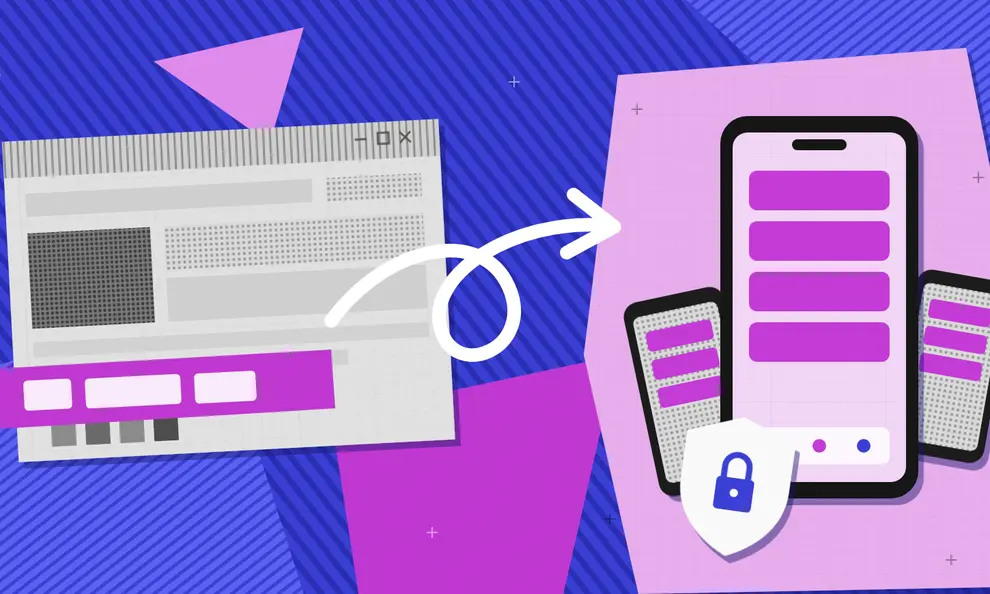
If you want your AI project in the App Store or Google Play, you need an additional step that “wraps” your live URL into a native app shell and adds the mobile-specific functionality that both stores require.
Again, this isn't a limitation unique to Lovable. It also applies to any web app built using an AI builder/platform.
How Median helps
If this is your first mobile app, congratulations, you're building something real.
Lovable gets your app built. Median gets it published.
Median converts your Lovable web app into a mobile app using a hybrid webview architecture that wraps your existing website inside native iOS and Android shells.
Your web app, built with Lovable, runs inside a native "shell" that we provide. This shell/wrapper "bridges" the gap between your web code and the device's native features, such as push notifications, haptics, and biometric authentication.
Median is more than the classic web to app converter here, because it doesn't leave you hanging at the publishing step.
Normally, publishing requires enrolling in Apple's Developer Program, registering a Bundle ID, generating API keys in App Store Connect, setting up distribution profiles, and manually uploading every build, usually from a Mac, usually with zero guidance on what happens if Apple rejects it.
All of that is built into App Studio: you connect your Apple account once, and the Bundle ID registration and every future upload happen automatically from there, with no Mac and no guessing what Apple wants.
You stay focused on your app, and App Studio handles getting it onto the App Store.
Can I publish a Lovable app to the App Store?
Yes, if your Lovable app is converted into a native iOS app, signed correctly, tested, and submitted with a complete App Store listing. Lovable creates web apps. Median creates the mobile app from your Lovable URL and can get you into Google Play, too.
Do I need native code to publish a vibe-coded app?
Most vibe-coded apps publish without any native code. If your web app works well on mobile, Median creates the native app layer without a Swift or Kotlin rebuild, and native plugins cover push notifications, permissions, purchases, and deep links when you want them.
Why an app store listing matters
A mobile-optimized website isn't the same thing as an app, and most users know the difference. You don't want a browser squeezed on a phone screen. That's not an app.
Here's what you actually get from being in the store:
Users can find you without already knowing you exist
App store search works differently from web SEO, and for certain categories and audiences, it's where buying decisions start.
Someone looking for a tool in your category may search the App Store before they search Google, and if you're not there, you're not in the consideration set.
App store optimization is its own discipline, and the earlier you're in the store, the earlier you're building that visibility.
You can reach users between sessions
Push notifications are one of the most direct lines to your users that exist in mobile, and they're only available in a native app. A mobile website can't send a push. A browser tab doesn't appear on a lock screen.
For products where re-engagement matters, whether that's a reminder, an update, or a time-sensitive offer, push notifications are the feature that makes the difference between a product people check daily and one they forget about.
Read more: How to boost user engagement through targeted push notifications.
Your app feels like a real product
For many products, especially those that ask users to create an account, store data, or pay for something, an Apple App Store or Google Play listing signals legitimacy in a way a mobile website doesn't.
Users trust apps they can find in the store. They can read reviews, check ratings, and make decisions based on what they see in the listing.
Your users are already set up to buy
If your app sells digital goods, subscriptions, or premium features, being in the App Store or Google Play means your users can purchase without ever entering a credit card.
iPhone users already have their payment details stored in their iCloud account, and Apple's in-app purchase flow is a single tap. Android users have the same experience through Google Play's billing system, which pulls from whatever payment method is saved in their Google account.
Mobile web checkouts often lose people at the payment step. In a native app, that step is already done, and for the right product, minimizing the conversion friction is significant. It's one of the less obvious arguments for publishing that's worth thinking about early.
Both Apple and Google require you to use their own billing systems for digital content, so Stripe isn't an option for subscriptions or in-app features on either platform. For physical goods and services, external payment providers are allowed on both stores.
For any product monetizing through digital content, the App Store and Google Play are checkout experiences your users already trust.
What Apple and Google require
Both stores have a minimum functionality requirement that catches many first-time publishers off guard.
Apple's Guideline 4.2 specifically rejects apps that simply repackage a website without adding native, mobile-specific functionality.
Google Play has an equivalent rule under its Spam and Minimum Functionality policy. A bare webview wrapper, your URL loaded into a native shell with nothing added, will almost certainly get rejected on both platforms.
What reviewers need to see is that your app offers something a user couldn't get from opening the same URL in a browser. You don't need to add every native feature, but you do need enough to make the case.
How to demonstrate your app is truly native:
Push notifications
Biometric authentication
Deep linking to specific screens
Offline behavior, and
Meaningful camera or location access.
Median's native plugin library covers most of these out of the box, so you're not building them from scratch.
The two ways from Lovable to the App Store
Option 1: Use a web-to-app platform (recommended)
For most Lovable builders, the fastest option is a platform that wraps your published URL and adds native capabilities without touching your web code.
The basic steps using Median's App Studio are:
Publish your Lovable project and confirm the URL is stable in production
Create a Median account and paste your URL
Configure your app details (name, icon, splash screen) and add native functionality such as push notifications or biometric login
Connect your Apple Developer account to App Studio so your Bundle ID and uploads to App Store Connect happen automatically
Build your native files (IPA for iOS, AAB for Android) and submit through Google Play Console for Android
Publish your app
For more on how to turn your Lovable app into a native app, visit our complete guide: How to convert your Lovable app into a native app.
If you'd rather see it done before you try it, a few creators we partnered with have recorded the whole process on YouTube. MaksDevInsights, omatsoladev, VectorM, and Mikey Itua all take Lovable apps from a live URL to an iOS and Android app.
Option 2: Capacitor (for developers)
Capacitor is an open-source option for developers who want to manage the entire build process themselves. It requires exporting your Lovable project to GitHub, initializing Capacitor locally, and building your iOS and Android targets in Xcode and Android Studio, respectively.
You'll need a Mac for iOS builds, and you'll be responsible for signing certificates, managing bundle IDs and provisioning profiles, and addressing every round of Apple review feedback.
For developers with mobile build experience who have specific requirements a wrapper platform can't meet, it's viable. For most people who built something in Lovable, it's a significant amount of extra work and infrastructure to take on for a problem that's already solved.
Where most vibe-coded apps get stuck
With AI, the app-building process is easier. The compliance, publishing, and app review process is what trips people up because not every app builder follows the best practices that help apps get through the review process.
You can ship a working web app in an afternoon and still spend two weeks figuring out why Apple or Google keeps rejecting it.
A few of the app rejection causes vibe coders don't always see coming:
External link handling: Apple requires external links to open in an in-app browser, not the system Safari. That means specific code to intercept the link and open it inside your app. Google Play is less strict, but apps that consistently kick users out to the system browser still feel like webview wrappers, which can trigger Google's version of the minimum functionality flag.
Payment gateways: For digital goods, Apple requires you to use their in-app purchase system, and Google Play requires you to use Google Play Billing. Linking out to Stripe or another payment provider for digital content is a rejection cause on both stores. Physical goods and physical services differ, each with its own rules. Median's RevenueCat In-App Purchases plugin covers both billing systems from one setup.
Minimum functionality: A wrapper alone isn't a mobile app on either platform. Apple's Guideline 4.2 requires apps to offer functionality beyond a website. Google Play has an equivalent rule under its Spam and Functionality policy, with a slightly lower bar in practice but the same underlying principle.
Permission and capability declarations: iOS apps require specific entries in the Info.plist file declaring which device capabilities the app uses and why. Android apps require equivalent declarations in the AndroidManifest.xml. Missing or incorrect declarations are common reasons for rejection on both platforms.
None of these is unfixable. In fact, most are configuration problems, not architecture problems. But each one is a round of review feedback if you don't catch it before submitting, and review cycles are measured in days, not hours.
Tip: Plan for some back-and-forth with reviewers on your first submission. Read every rejection note carefully. Both stores almost always cite the policy or guideline they're referring to, which makes the fix much easier to scope.
If you want to skip the publishing hassle, Median’s Publishing Service can handle your submission end-to-end.
Convert your Lovable app to a mobile app with Median
The Median platform is built for exactly this situation.
Your Lovable web product stays as-is. Median wraps it in a native app shell, adds the features app store reviewers need to see, and automates the publishing step that trips up most first-time submitters, connecting your Apple Developer account once so your Bundle ID and App Store Connect uploads happen on their own from there.
For Lovable builders, this means going from a live URL to a published app store listing in days, not months, without learning Xcode, managing signing certificates, or hiring a mobile developer. For a recent example of how quickly this can move, SkinCure Oncology used Median's publishing service to convert its AI-built web app into native iOS and Android apps and get them into both app stores in time for an industry conference launch.
Plans start at $179/year for self-serve, with fully managed business and enterprise support available when you need expert help.
You used Lovable to build something real. Median.co gets it into the hands of the people it's built for.
Frequently asked questions about publishing your Lovable app
Can you turn a Lovable app into a mobile app?
Yes, a Lovable app can become a mobile app, but it takes an extra step. Lovable builds web applications, not native iOS or Android apps. To get your Lovable project into the App Store or Google Play, you wrap the live URL in a native app shell, add mobile-specific features like push notifications and biometric login, and submit through each store's developer portal. Platforms like Median.co handle this process without requiring you to touch your web code.
How do you publish a Lovable app to the Apple App Store?
You need an Apple Developer account ($99/year), a native app build that meets Apple's guidelines, and a submission through App Store Connect. Most Lovable builders use a web-to-app platform that wraps your published URL, adds the native functionality Apple requires, and generates the IPA file. With Median's App Studio, you connect your Apple Developer account once, and your Bundle ID registration and App Store Connect uploads happen automatically from there, no manual export or Mac required. Apple's review process typically takes 24 to 48 hours, though first submissions can take longer.
How do you publish a Lovable app to Google Play?
You need a Google Play Console account ($25 one-time fee), an Android App Bundle (AAB file), and a completed store listing that includes a privacy policy, screenshots, and a content rating. A web-to-app platform wraps your Lovable URL and generates the AAB file. Google Play reviews are generally faster than Apple's, though new developer accounts may receive extra scrutiny on early submissions.
How long does it take to publish a vibe-coded app?
Building the web app with an AI tool can take mere hours. The publishing timeline is a different question entirely. If your Apple Developer account is already set up and active, you can go from a finished Lovable project to a submitted App Store listing in a few days. If you're starting from scratch, Apple Developer organization account verification takes 2 to 4 weeks, which can be the bottleneck for your entire launch. So start the account setup before your app is finished.
Will Apple reject a Lovable app?
Apple reviews the app itself, not the tool you used to build it. What often triggers rejection is submitting a bare URL in a webview without any native functionality. Apple's Guideline 4.2 requires apps to offer features that a user couldn't access by opening the same URL in a browser. Adding push notifications, biometric login, or deep linking is usually enough to clear that bar. Building with Lovable, Replit, or any other AI tool is not, by itself, a cause for rejection.
How do I turn HTML code into a mobile app?
Turning HTML into a mobile app takes no rebuild at all. If your app is running at a live URL, that's all you need to get started. A web-to-app platform like Median.co wraps your existing HTML and serves it within a native app shell, then layers on mobile-specific features such as push notifications, biometric login, and deep linking that app store reviewers require. The HTML stays exactly as it is. You're adding a native container around it, not touching the code underneath.
What's the difference between a PWA and a native app?
A progressive web app, or PWA, runs in a browser engine and can be added to a user's home screen, but it's still a webpage at its core. A native app runs in a dedicated shell, has its own app store listing, and can access device features such as push notifications, biometric authentication, and offline storage in ways a PWA can't fully replicate, especially on iOS. For products where the mobile experience matters, the difference is noticeable to users.
Do I need to resubmit my app every time I update my Lovable project?
Most Lovable updates need no resubmission, because a web-to-app wrapper loads your live URL, so changes you publish in Lovable appear in the app automatically. You only need to resubmit when something in the native shell changes, such as the app name, icon, bundle identifier, or a new device permission. Routine content and design updates don't require going back through the review process.
Can I submit to just one store?
Yes, you can submit to just one store, because neither platform requires the other. Some teams launch on Android first because the Google Play process is faster and less expensive to set up, then add iOS once the app is stable. Others go iOS-first because that's where their audience is. You can generate files for each store independently and submit them on whatever timeline works for your launch.
What do I do if my app gets rejected?
Read the rejection notice carefully before doing anything else. Apple identifies the specific guideline you've violated, making the fix straightforward to scope in most cases. The most common causes are limited functionality (Guideline 4.2), a missing or inaccessible privacy policy, payment flow violations for digital goods, and missing permission declarations. Most rejections are configuration problems you can fix without rebuilding. Address the cited guideline, update your build, and resubmit.
Can I publish my Lovable project as a native iOS or Android app to the App Store or Play Store?
Web apps aren't the same as mobile apps in the context of the Apple App Store or Google Play. Lovable can absolutely produce a mobile-friendly design, but a responsive web app and a native mobile app are two different things. (One lives at a URL and the other gets reviewed, approved, and distributed through the store.)
That said, you can wrap your Lovable web experience inside a native app shell and get it into both stores, which is exactly what Median does. Lovable's documentation suggests a PWA or Capacitor for this question. The PWA route never reaches the stores, and the Capacitor route is Option 2 above, a self-managed website to app build.
If you want to see the full process play-by-play, Checkmark Academy has a detailed tutorial on YouTube that walks through how to take a Lovable app from browser to the Apple App Store. They're not affiliated with Median, but it's a solid walkthrough if you learn better by watching someone do it: How to publish your Lovable app to the App Store.
How much does it cost to publish an app?
Apple Developer Program membership costs $99 per year. A Google Play Console account is a one-time $25 registration fee. If you use a web-to-app platform to handle the build and submission, that's an additional cost on top of your developer accounts. Median's self-serve plans start at $179 per year.
What is vibe coding?
Vibe coding is the practice of building functional software using AI tools and natural language prompts, without writing code manually. Instead of hiring developers or learning a programming language, you describe what you want, and the AI builds it. Tools such as Lovable, Replit, Base44, Vercel, Netlify, and Emergent have made this genuinely accessible, and the results are real, production-ready web apps that work in a browser. The gap that vibe coding doesn't close is the mobile app gap. Getting from a working web app to a published listing on the App Store or Google Play requires a separate set of steps that none of these tools handle natively.
*DISCLAIMER: This content is provided solely for informational purposes. It is not exhaustive and may not be relevant for your requirements. While we have obtained and compiled this information from sources we believe to be reliable, we cannot and do not guarantee its accuracy. This content is not to be considered professional advice and does not form a professional relationship of any kind between you and GoNative.io LLC or its affiliates. Median.co is the industry-leading end-to-end solution for developing, publishing, and maintaining native mobile apps for iOS and Android powered by web content. When considering any technology vendor we recommend that you conduct detailed research and "read the fine print" before using their services.*