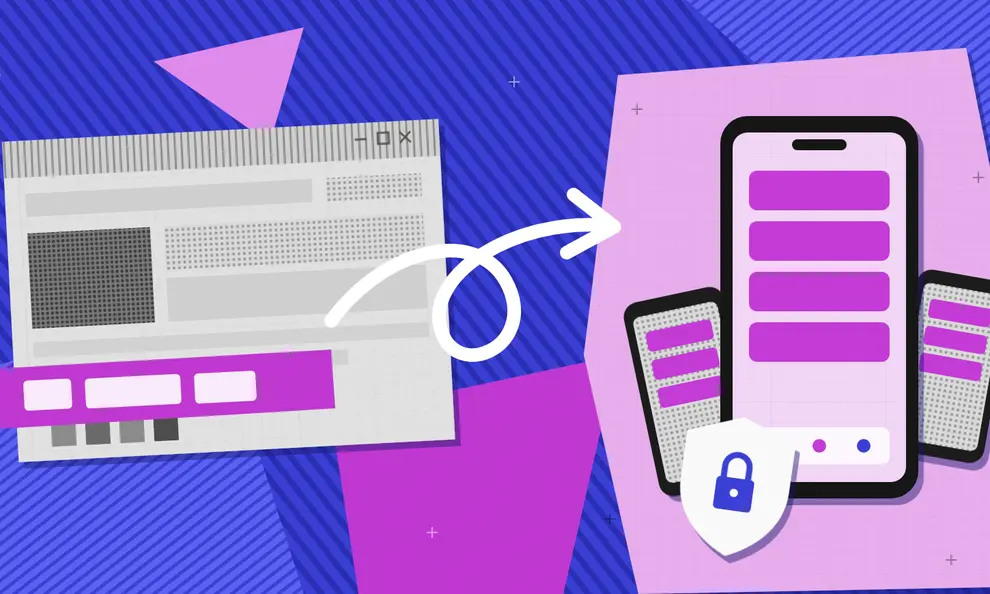
Lovable publishes your project as a web app that people open in a browser or install as a PWA. To publish a Lovable app to the Apple App Store and Google Play, you can build and maintain your own Capacitor codebase or use Median.co to automatically package your live app and add native features like push notifications. However you convert your Lovable app to a mobile app, you should test authentication, payments, permissions, and real-device behavior before submission. Note that the Lovable mobile app lets you edit Lovable projects from a phone, but it does not turn your project into an app for the App Store or Google Play.
You can convert a Lovable app to iOS and Android without throwing away the web app you already built. What actually separates the options is how much mobile infrastructure you want to own: nothing beyond the browser, a full native project, or a managed shell around the site you already have.
You can stop at a browser-installed PWA, export the code and maintain a Capacitor project yourself, or keep Lovable as the live product while Median.co manages the native shell. This guide walks through what each option changes and what tends to break on the way to the stores.
Can Lovable make mobile apps?
Lovable builds responsive web applications, and its official publishing flow puts a project on a live web URL. There's also a Lovable mobile app, but it's an editor for working on projects from a phone, not a generator for your project's signed iOS and Android store files.
Your Lovable project can still reach the app stores. Three routes come up again and again:
PWA: Users install the web app from a browser. This is the shortest way there, but it skips the normal Apple App Store listing entirely and limits which native features you can use.
Capacitor: Export or connect the Lovable code, add Capacitor, and maintain the iOS and Android projects yourself. Your development team gets direct control over builds and plugins, along with everything that comes with it.
Median: Use the published Lovable URL as the app's live interface, then configure the iOS and Android shell, native plugins, signing, and store delivery in Median.co.
A PWA is web distribution. Capacitor and Median.co are the two that actually put you in the stores.
Which Lovable to mobile app route should you choose?
Choose a PWA when app store discovery doesn't matter and the product only needs what a browser can do.
Choose Capacitor when your team wants to own Xcode, Android Studio, native plugin versions, signing, and every mobile release. Capacitor is a capable open-source runtime, but it isn't a one-click store submission, and someone on your team will need to maintain the native iOS and Android projects and keep them up to date.
Choose Median when the Lovable app should stay the source of truth and you'd rather have the native wrapper managed for you. Published web changes appear without rebuilding the app, while native-shell changes ship as versioned mobile builds.
Will every Lovable edit require another App Store review? Not if the app loads the live Lovable URL. Copy, layout, and server-driven feature changes appear on the next load. A new icon, permission, plugin, or native SDK still needs a fresh build and a store update.
Prepare a Lovable app for iOS and Android
Don't judge readiness from Lovable's desktop preview. Publish the project and test the production URL on real phones, because that's the version your reviewers and customers will see.
Make the interface work like a phone app
Check safe areas, keyboard overlap, bottom navigation, tap targets, scrolling, and landscape behavior, and remove anything that only works on hover. Make sure the Android back button takes the user to the previous screen instead of closing the app.
Test Supabase and other login flows
Authentication breaks more wrapped apps than anything else. Add the app's return URLs to the identity provider, then test password resets, email magic links, Google sign-in, Apple sign-in, and logout. If a provider opens an external browser, confirm the user lands back on the correct screen in the app.
Test device permissions on hardware
Lovable previews can't prove that the microphone, camera, location, photo library, downloads, or file uploads will behave in an installed build. Ask only for permissions tied to a visible feature, and explain why the app needs each one.
Decide how payments will work
Stripe still fits purchases of physical goods and real-world services. Digital subscriptions, credits, content, and app features usually need Apple In-App Purchase and Google Play Billing instead, and a web checkout that works fine in Lovable is not automatically acceptable inside a store app.
Prepare the policy pages
Create public privacy, support, and terms URLs, and give users an in-app way to delete their account if they can create one. Store reviewers also need working credentials for anything hidden behind login.
How to convert a Lovable app to iOS and Android with Median
You run the website to app conversion from the published URL, so Lovable stays your editor and host throughout.
1. Publish the Lovable project
Use Lovable's Publish action and copy the production URL. Open it in a private browser window so you know it doesn't depend on your editor session.
2. Create the mobile app
Open the Median App Studio, enter the Lovable URL, and set the app name. The Lovable setup guide explains how the hosted project and the Median JavaScript Bridge work together.
There's no GitHub export step here. You keep using Lovable to update the web interface and its backend integrations.
Lovable supports external MCP servers as custom connectors, so you can work with the Median App Studio directly from your Lovable project. Add the Median MCP server through Lovable’s Connectors menu and sign in with your Median account. Then ask Lovable to create your app, configure navigation and branding, or start iOS and Android builds.
3. Configure the native shell
Add the icon, splash screen, theme, navigation, link rules, and permissions, then add native plugins where they improve a real user task. Push notifications, haptics, biometrics, deep links, and native sharing all earn their place when the product has a reason to use them.
4. Test the complete account journey
Test more than the home screen. Create an account, verify it, reset the password, buy or restore a subscription if the app sells one, upload a file, follow an external link, sign out, and delete the account. Then repeat the whole journey on the other platform.
5. Build and submit
Create the signed store builds once device testing is done. Your team can manage App Store Connect and Play Console, or Median's Publishing Service can take on submission, review responses, and resubmissions.
You can build and preview your app free in the App Studio. Publishing to the stores is a paid license, and you can compare plans on the pricing page.
Watch a Lovable app become an iOS and Android app
Prefer to see it first? Creators we partnered with have recorded the whole process on YouTube, from a live Lovable URL to an iOS and Android app.
Lovable to APK versus Lovable to app store
An APK is an Android installation file, useful for testing on a device or sharing a private build. Google Play normally expects an Android App Bundle, called an AAB, for a new public app.
The Apple App Store has no useful equivalent of handing a customer an APK. iOS builds are signed and distributed through App Store Connect and TestFlight.
If the goal is a public launch, plan for the full store process:
Stable bundle ID and Android package name
Apple and Google developer accounts
Signed builds
Screenshots, icon, description, and support details
Privacy and data-use disclosures
Reviewer access to logged-in features
Billing that follows store rules
Internal testing before production
How to publish a Lovable app to the Apple App Store
Create the app record in App Store Connect, match its bundle ID to the iOS build, upload the signed build, and test it through TestFlight. Then complete the screenshots, category, support URL, privacy policy, and App Privacy answers.
In the review notes, explain what the app is for and where its mobile-specific features live, and provide a working demo account. A polished mobile layout, useful native behavior, and complete account controls give the reviewer a real product to assess instead of a bare website wrapper.
Since April 28, 2026, Apple requires every upload to be built with Xcode 26 or later, which Median builds handle for you. For a full walkthrough of App Store and Google Play submission, including what reviewers reject most often, read how to publish a Lovable app to the App Store and Google Play.
How to publish a Lovable app to Google Play
Create the app in Play Console with the same package name the Android build uses, then complete the store listing, Data safety form, content declarations, app access instructions, privacy URL, and whatever testing requirements apply to your developer account.
Upload the AAB to an internal testing track first, install that Play-distributed build on a device, and repeat the account, payment, permission, and link tests before requesting production.
For most new solo developers, that means a 14-day closed test with at least 12 testers before production. See how long Google Play review takes to plan your launch date.
Our app store publishing checklist covers every item on this list in order.
Lovable subscriptions and RevenueCat
If the Lovable app sells digital access, treat store billing as part of the conversion rather than a follow-up. Median's RevenueCat integration connects Apple and Google purchases to the web app through the Median JavaScript Bridge, so your Lovable interface can check subscription status and show the right features.
This work changes the native build, so add and test it before submitting. Give existing subscribers a restore-purchase option and a way to sign in without buying twice.
Frequently asked questions
How do I convert a Lovable app to a mobile app?
Publish the Lovable project, make it mobile-ready, and choose a PWA, a self-managed Capacitor build, or a managed wrapper such as Median.co. A store release also needs signing, device tests, policy pages, and the Apple and Google submissions.
Can Lovable publish to the App Store?
Lovable's Publish action creates a live web app, not a signed iOS binary or an App Store Connect submission. A mobile runtime or a conversion platform such as Median.co covers that part.
Can Lovable publish to Google Play?
Not directly from Lovable's web publishing flow. You need an Android build, signing, an AAB, a Play Console listing, disclosures, and testing. Capacitor and Median.co are two ways to create that Android layer.
Can Lovable make iOS apps?
Lovable publishes web apps, not iOS apps, and it doesn't generate a React Native or Swift codebase for your project. To put a Lovable project on an iPhone, wrap the published URL with Median.co or maintain a Capacitor build, then submit the signed iOS app through App Store Connect.
Can Lovable make Android apps?
Android works the same way. A Capacitor project or a Median app that loads the published Lovable URL can produce an APK for testing and an AAB for Google Play. Lovable itself doesn't output an Android app.
Can I turn a Lovable app into an APK?
Yes. A wrapper or a Capacitor project can produce an APK for Android testing. Use an AAB for a normal new Google Play submission.
Does Lovable have a native app builder?
Lovable has a mobile app for working on Lovable projects from a phone, but it isn't a mobile app builder. It doesn't package each project as a native App Store or Google Play app.
Will my Lovable updates appear in the mobile app?
They will when the mobile app loads the published Lovable URL. Web changes appear without a new store build, while native configuration changes still need a rebuilt binary and a store release.
Do I need to export my Lovable code?
Only if you plan to maintain a Capacitor project yourself. Median.co's URL-based approach needs no export at all.
Will Supabase keep working?
Yes, the same Supabase project and data stay in place. Test authentication redirects, row-level security, file uploads, and session persistence inside the installed app. The database doesn't need to move just because the client is in a wrapper.
Can I keep using Stripe?
It depends on what customers buy. Stripe is appropriate for physical goods and real-world services, while digital products and app features may need Apple and Google billing inside the app.
Keep one product and make the mobile tradeoff explicit
You don't need a vague promise that Lovable can become “fully native.” You need an option that fits the team maintaining it.
Use Capacitor when you want the source and the native projects inside your own development workflow. Use Median when Lovable should stay the live product and you want the mobile shell, native features, and store work handled in one place. Either way, the web to app decision is really a maintenance decision.
Drop your published Lovable URL into the form above and look at the result before you change anything in production.
Can Lovable build mobile apps, or is it web-only?
Lovable builds web apps. They work on phones in a browser, and you can install them as a PWA, but Lovable doesn't create App Store or Google Play apps on its own. To get a Lovable app into the stores, wrap the published URL with Median or maintain your own Capacitor project.
Can Lovable generate iPhone apps?
Not directly. Lovable generates a web app, not an iPhone app. Median turns the published Lovable URL into a signed iOS app you can submit through App Store Connect, with native features such as push notifications and Face ID login.
How do I publish a Lovable app for private use?
If the app is only for your team or clients, you don't need a public store listing. Apple offers unlisted apps and custom apps through Apple Business Manager, and Google Play offers private apps for managed devices. Read how to distribute a private app for the options.
How do I handle user logins if I'm selling a Lovable app?
Keep your existing Supabase or third-party login. It works inside the mobile app as long as you add the app's return URLs to your identity provider and test the full flow on real devices. If users pay for digital access, connect Apple and Google billing through RevenueCat so their subscription follows them across the web and the app, and give them a way to restore purchases.
*DISCLAIMER: This content is provided solely for informational purposes. It is not exhaustive and may not be relevant for your requirements. While we have obtained and compiled this information from sources we believe to be reliable, we cannot and do not guarantee its accuracy. This content is not to be considered professional advice and does not form a professional relationship of any kind between you and GoNative.io LLC or its affiliates. Median.co is the industry-leading end-to-end solution for developing, publishing, and maintaining native mobile apps for iOS and Android powered by web content. When considering any technology vendor we recommend that you conduct detailed research and "read the fine print" before using their services.*