Claude Code mobile app development starts with the build, and Claude Code can handle that whole part, front end, back end, and database. What it doesn't do on its own is turn that project into something Apple and Google will list in their app stores. Getting published takes a native app shell, a set of mobile-specific features reviewers look for, and a submission through each store's developer portal. Median handles the shell, the native features, and the submission, so your Claude Code project can go from code to a live store listing without you learning Xcode or managing signing certificates yourself.
With Claude Code, you can go from an app idea to a working web app with a live preview in an afternoon. Getting that same project onto an iPhone or Android home screen as a downloadable app is where a lot of vibe coders get stuck.
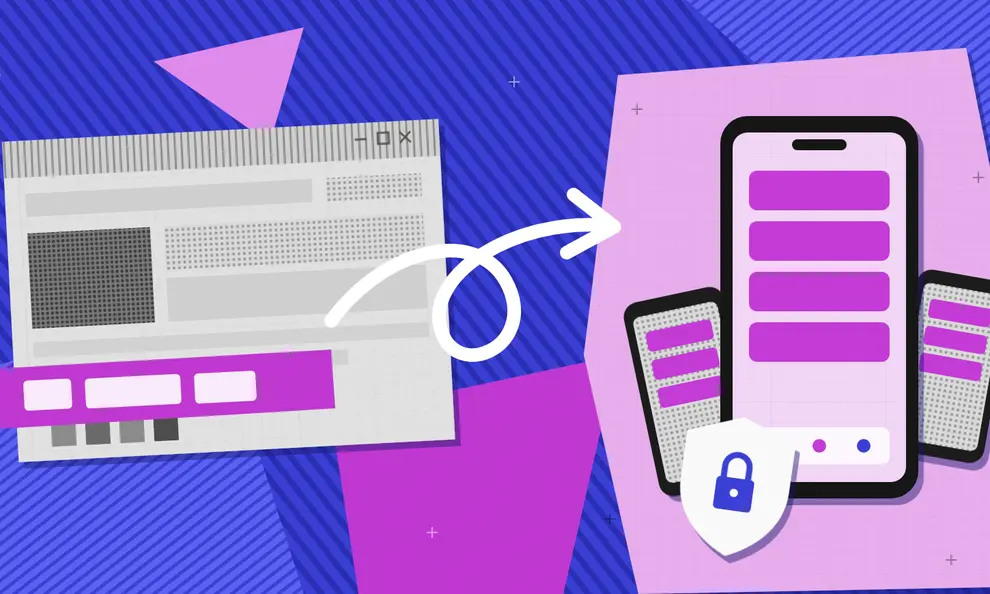
Most Claude Code projects are web apps, and Apple and Google don't list web apps in their stores. To get there, the project has to be packaged as a native iOS and Android app, with enough mobile features to pass review, and submitted through each store's developer portal.
Does Claude Code have a mobile app?
Not a separate one. You can reach Claude Code from the Code tab in Anthropic’s Claude app for iPhone, iPad, and Android.
From there you can start a cloud session, which runs on Anthropic’s infrastructure and keeps going after you put your phone away, or use Remote Control to drive a Claude Code session running on your own computer, with your files and tools staying local. Running /mobile in a Claude Code session shows a QR code that opens the right app store for your phone.
The Claude app is for managing your coding sessions, though. It won’t turn your project into an app your users can download. That takes packaging the project for iOS and Android, adding native features and getting through each store’s review, and the rest of this post walks through how.
Can Claude Code build a mobile app?
Yes. Claude Code can write a native iOS app in Swift or an Android app in Kotlin, as long as you already have Xcode or Android Studio set up on your computer.
Most beginners don’t build that way, though. A web app is quicker to prompt and preview, and you don’t have to set up native tools before you know the idea works. The catch is that Apple and Google won’t list a web app on its own.
Either way, Claude Code doesn’t set up your App Store Connect or Google Play Console accounts for you. That means registering as an organization, filling out the privacy questionnaires, and creating a signed build.
If you’re using Claude in the regular Claude app, it can write the code for an app and show you a preview in the chat. You’d still need to move that code into a project and deploy it before anyone else can use it, which is what Claude Code is for.
Why a Claude Code project doesn't automatically become an app store listing
Apple and Google don't publish web apps directly in their app stores. To submit an app, vibe coders and developers need to package the experience as a mobile app build: an IPA for iOS distribution and an AAB for Android distribution.
A web app created with Claude Code can be fully functional, but it doesn't automatically generate these mobile app packages or complete the store submission process.
This isn't a limitation specific to Claude Code. The same gap exists with other AI app builders and web development platforms, including Lovable, Base44, Google AI Studio, Replit, and similar tools that help you quickly create a working web experience.
If you're weighing Claude Code for mobile app development against other AI builders on this specific point, our vibe-coded app store publishing playbook rounds up the platform-specific guides in one place.
Tip: Confirm your app is live at a stable production URL before you start the wrapping and submission process. Changing the URL later means re-testing everything downstream of it.
What Apple and Google require before they'll list your app
Apple's Guideline 4.2 specifically addresses apps that are little more than a website loaded in a wrapper without meaningful functionality added. Google Play has similar expectations through its Spam and Minimum Functionality policy, which also looks for apps to provide a quality user experience and meaningful value beyond simply duplicating a website.
What reviewers want to see is functionality a user couldn't get by opening your URL in a browser.
You don't need every native feature Median offers, but you do need enough for the app to read as a real mobile product. Consider features such as:
Push notifications
Biometric login
Deep linking to specific screens
Meaningful use of camera, location, or other device permissions
Offline behavior where it makes sense for your app
Two ways to get a Claude Code app into the app store
Once Claude Code has helped you build a working web app, you still need to decide how you want to turn that project into a published iOS and Android app.
The path you choose depends on what you're building, how much control you need over the mobile experience, and whether you want to manage the native development workflow yourself.
Option 1: A web-to-app platform like Median (recommended for most builders)
Median is designed for builders who already have a working web app and want to turn it into a production-ready mobile app without rebuilding the project from scratch.
Median wraps your deployed Claude Code project in native iOS and Android apps, adds native capabilities that improve the mobile experience, and guides you along the publishing process, which can be unfamiliar to first-time app creators.
You connect your Apple Developer account once, and Median handles key publishing steps from there, including Bundle ID registration and App Store Connect uploads. There's no Mac required and no need to manually manage certificates or native build tooling.
Here's how it works:
Step 1: Build. Enter your deployed Claude Code app's URL into Median's App Studio at median.co/app and set your app name.
Step 2: Preview and test. Check your app's core flows inside Median's browser-based iOS and Android simulators before you touch anything else.
Step 3: Customize. Set your app icon, splash screen, and theme colors. Next, enable the native features you want, such as push notifications, biometric login, or deep linking, via Median's native plugin library.
Step 4: Test on real devices. Install a test build on a real phone. A layout that looks fine on a desktop tab can behave differently when rendered in a mobile WebView.
Step 5: License and launch. Connect your Apple Developer account using an App Store Connect API key, and Median builds and uploads a signed IPA and Android App Bundle for you.
Option 2: Build it yourself with Expo, React Native, and EAS Build
The other path is to rebuild your project using a mobile development framework such as React Native with Expo. This gives you more direct control over the app architecture and native experience, but it also means taking on the responsibilities that come with native app development.
Most developers don't write separate Swift and Kotlin apps from scratch. Instead, they use a cross-platform workflow: Claude Code can help generate a React Native app, Expo provides the development framework, EAS Build compiles the project into iOS and Android packages, and tools like Fastlane can automate parts of the submission process.
This approach is a good fit for teams that:
Already have React Native or mobile development experience
Need highly customized native interactions that go beyond what plugins or bridges provide
Have an existing engineering workflow built around mobile releases
Want complete control over the underlying app code and architecture
The trade-off is that you're responsible for more of the mobile development stack, including project configuration, native dependencies, Xcode and iOS build requirements, EAS and CLI setup, signing certificates and keystores, App Store Connect, and Google Play Console management.
For many Claude Code builders, the faster path is moving from a working web app to a published mobile app without adding the complexity of a separate native development process.
Where most Claude Code apps get stuck at publishing
Most of the back-and-forth with app reviewers comes down to a handful of issues, and none of them depend on which tool built the app.
External link handling
A link that drops users into Safari or Chrome mid-task makes your app feel like a website, which is what reviewers look for under Guideline 4.2. Median's link handling settings let you open external links in an in-app browser instead.
Payment gateways
Digital goods and subscriptions have to go through Apple's in-app purchase system or Google Play Billing. Linking out to a third-party payment provider for digital content is a rejection cause on both stores. Physical goods and services follow different rules on each platform.
Median's RevenueCat plugin handles billing for both stores from a single setup, and your app can read subscription status via Median's JavaScript Bridge to gate premium features.
Minimum functionality
Add at least one or two native features from the list above before you submit. A bare wrapper with nothing added is the most common first-submission rejection on both stores.
Permission and capability declarations
iOS needs the right entries in Info.plist for any device capability your app uses. Android needs the equivalent in AndroidManifest.xml. Missing declarations are an easy, avoidable rejection.
Google Play's closed testing window
New personal Google Play developer accounts created after November 13, 2023 must run a closed test with a minimum of 12 opted-in testers who are active for 14 consecutive days before production access is unlocked.
It's a Google Play policy, not something specific to Claude Code apps or to Median, and it catches first-time publishers who don't plan for it.
Start recruiting testers as soon as your app is in testable shape rather than after you've finished everything else, since this step sets your real launch timeline more than anything else in the process.
Claude Code mobile app publishing checklist
Before you submit your mobile app, confirm each of these:
Your Claude Code project is live at a stable production URL
You've registered for an Apple Developer account and a Google Play Console account
Your app has at least one or two native features beyond a plain wrapper such as push notifications, biometrics, or deep linking
You've decided how external links open, and they don't drop users out of your app mid-task
Any digital goods or subscriptions route through Apple's or Google's own billing system
Permission declarations are set for any camera, location, or device feature your app uses
If you're on a new personal Google Play account, you've started recruiting closed testers early, since that 14-day window sets your timeline
You've read through Apple's Guideline 4.2 and Google's Minimum Functionality policy at least once
Download the complete app store publishing checklist
Get the full app store publishing guide as a PDF, so you can run through it right before you submit.
Convert your Claude Code app to a mobile app with Median
Median turns any deployed web app into a native iOS and Android app, adding the mobile capabilities and publishing workflows needed to take it from a working project to a downloadable app.
Median handles the steps that can slow down first-time app launches, including app configuration, Bundle ID registration, App Store Connect uploads, and Google Play submission. You can add native features such as push notifications, biometric login, and deep linking through Median’s plugin ecosystem without rebuilding your app from scratch.
Median has published thousands of apps through its app publishing service and maintains a 100% approval guarantee for managed apps. Self-serve plans start at $229 to activate, then $179 a year, with fully managed support available if you'd rather hand the submission off entirely.
Frequently asked questions about publishing a Claude Code app
Does Claude Code have a mobile app?
Not as a standalone app, no. The Claude app for iOS and Android can connect to Claude Code sessions through Remote Control or Claude Code on the web, letting you continue coding workflows from your phone. That’s different from having a mobile app version of your own Claude Code project that users can download from the App Store or Google Play.
Can you turn a Claude Code project into a mobile app?
Yes. If Claude Code helped you build a web app, you can turn that project into a downloadable iOS and Android app by packaging it for mobile and adding the native capabilities, configuration, and publishing steps needed for app store distribution. A rebuild isn’t required in many cases, allowing you to keep your existing web app while extending it into a mobile experience.
Can Claude build a mobile app?
Claude can write the code for one, and so can Claude Code, but neither publishes it for you. In the Claude app, Claude can generate app code and show a working preview. Claude Code can build and run a full project. Getting either one into the App Store or Google Play still means packaging it as an iOS and Android app and submitting it to each store, which is the part Median handles.
How do I deploy an app built with Claude Code?
Ask Claude Code to deploy it to a host such as Vercel, Netlify, or Cloudflare. Once you've logged in to the host, Claude Code can run its command line tool, create a production build, and walk you through connecting a custom domain. Get the app live at a stable production URL before you turn it into a mobile app, since Median builds the app from that URL.
How do I connect Claude Code to a mobile app?
If your question is about coding on the go, Remote Control links a Claude Code session on your computer to the Claude app on your phone. If your question is about publishing, that's a separate process. Wrapping your project and submitting through each store's developer portal, which is what Median's App Studio handles.
How do I publish an app on the Play Store and Apple Store?
At a high level: register for an Apple Developer account and a Google Play Console account, build native app files, an IPA for iOS and an AAB for Android, add the mobile-specific functionality both stores expect, and submit through each store's developer portal. Our app store publishing checklist, linked above, walks through the specific pieces, and Median's App Studio and publishing service handle the build and submission end for you.
How hard is it to publish an app on the App Store?
Harder than many first-time publishers expect, largely because of the setup and submission requirements beyond building the app itself. Registering as a developer or organization, completing App Store Connect metadata and privacy details, configuring app identifiers, and uploading a properly signed build all require separate steps outside of Claude Code. That’s the part Median’s App Studio and publishing service are designed to simplify.
Will Apple reject a Claude Code app?
Apple reviews the app itself, not what built it. A bare wrapper with no native functionality is one of the most common reasons for rejection, regardless of whether the underlying project came from Claude Code, Lovable, or elsewhere.
Do I need native code to publish an app built with Claude Code?
No. Median wraps your existing project without requiring a Swift or Kotlin rebuild, and its native plugins cover push notifications, biometrics, and deep linking on top of it.
Is it legal to use AI to build an app?
Yes. An app built with Claude Code is subject to the same laws as one built any other way. Data privacy rules, intellectual property, payment regulations, and each store's own policies all apply. Using an AI coding tool doesn't change any of that, and it isn't something Apple or Google review.
Can Claude Code connect to App Store Connect or Google Play Console?
Yes, with some setup. Claude Code can run command line tools such as fastlane, or call Apple's App Store Connect API and the Google Play Developer API, once you've created API keys and given it access. That can automate uploads and release steps. It doesn't replace the rest of the process, though. You still need a signed IPA and AAB, a native app shell, verified developer accounts with Apple and Google, and an app that passes review.
If you'd rather skip that setup, Median connects to App Store Connect with an API key, builds signed iOS and Android files from your live URL, and uploads them for you.
*DISCLAIMER: This content is provided solely for informational purposes. It is not exhaustive and may not be relevant for your requirements. While we have obtained and compiled this information from sources we believe to be reliable, we cannot and do not guarantee its accuracy. This content is not to be considered professional advice and does not form a professional relationship of any kind between you and GoNative.io LLC or its affiliates. Median.co is the industry-leading end-to-end solution for developing, publishing, and maintaining native mobile apps for iOS and Android powered by web content. When considering any technology vendor we recommend that you conduct detailed research and "read the fine print" before using their services.*