Google AI Studio builds web apps with Gemini, and Build mode can now generate native Android projects too, but neither gets you an iOS app, and Google Play publishing beyond internal testing stays your responsibility. Median converts your deployed AI Studio URL into native iOS and Android apps with push notifications, native navigation, and native features such as in-app purchases through RevenueCat. Builds and app store uploads run in the cloud, so no Mac, Xcode, or Android Studio is required.
Google AI Studio can take an idea to a working app in an afternoon: describe what you want, Gemini writes the code, and the result runs at an ai.studio link you can share. Getting that app onto phones through the Apple App Store and Google Play is where this guide picks up.
AI Studio gives you two starting points. Most projects come out of Build mode as web apps, React on the front end with a small server behind it. Since I/O 2026, picking Android from Build mode's platform picker generates a native Kotlin and Jetpack Compose project instead. Neither produces an iOS app, and both leave the store work with you: listings, review, and everything past Google Play's internal testing track.
Median works from the other direction. The web app you already deployed becomes native iOS and Android apps from one URL, the product keeps living in AI Studio, and the store submission can be handled for you. If you are weighing several AI builders, the vibe-coded app store playbook connects all the platform guides.
What is Google AI Studio?
Google AI Studio is Google's workspace for building with Gemini. Its Build mode turns plain-English prompts into working web apps, a React frontend with a Node server behind it, and the Gemini API wired in with your key kept server-side. Apps are private by default and shareable by link, and when one is ready for real users you can publish it to Cloud Run, download the code as a ZIP, or push it to GitHub.
That deployed URL, whether it is an ai.studio share link or a Cloud Run address, is the input for everything below.
AI Studio's Android apps are a second codebase, and iOS is not part of it
Select Android from Build mode's platform picker, describe the app, and AI Studio generates a native Kotlin and Jetpack Compose project, with a hand-off to Google's Antigravity IDE when a project outgrows the browser. That is genuinely impressive, and before you plan a launch around it, look at where it stops.
What you get when you build for Android in AI Studio:
A native Kotlin and Jetpack Compose project generated from your prompt, no local Android SDK required.
A browser-based Android emulator for testing, plus installing to a physical device over USB.
Publishing into Google Play's internal testing track, up to 100 testers, with app signing handled by a managed keystore.
What it leaves out:
iOS. There is no iPhone build and no App Store submission. Reaching Apple's store means starting over with different tooling.
A second codebase. The Android project is generated fresh, separate from the web app your users already use. A feature you add on the web side does not exist on Android until you build it again.
The production launch. Internal testing is not a public listing. The store page, screenshots, Data Safety section, and production rollout all happen manually in Play Console.
Server-side features. These Android apps are client-side only, with no server secrets or Firebase, which is fine for a prototype and tight for a product with accounts or billing.
Median approaches the same goal from the web side. The app you built in AI Studio stays the product, and Median wraps its deployed URL in native iOS and Android apps with push notifications, native navigation, biometric login, and in-app purchases through RevenueCat. One codebase keeps evolving in AI Studio, and both stores get a real app.
Google AI Studio to APK: skip the ZIP
A common dead end is downloading the ZIP export and hunting for a tool that compiles it into an APK. The ZIP is your web app's source code, so there is nothing in it for Android tooling to build.
You do not need it. Median is a web to app converter, so the Android build comes from your deployed URL directly: an APK for installing and testing on a device, and a signed Android App Bundle for Google Play, which stopped accepting APKs for new submissions. Keep the ZIP for code backups or custom hosting, not for making mobile apps.
You may also run into converter tools that compile a GitHub repo or ZIP into an APK. They stop at Android, and because they compile your code, every change you make in AI Studio means another build before users see it. A Median app loads the live URL, so web updates reach installed apps immediately, and the same app ships to the Apple App Store.
How to build the native app from your AI Studio URL
Step 1: Build your app in the Median App Studio
Start at median.co/app. Enter your app's URL as the "Website URL" and set your app name. An ai.studio share link works for building and testing, and a Cloud Run deployment or custom domain is the strongest base for a public launch. An email address is required for ongoing access to your app in the App Studio, and a verification link arrives by email.
Step 2: Preview and test
Median's browser-based simulators preview your app on iOS and Android devices without leaving your web browser. Check the basic flows inside the app frame first, because a layout that looks right in a desktop tab can behave differently in a mobile WebView.
Step 3: Customize the native app
In the Branding tab, upload an app icon and splash screen and set theme colors. Interface Settings, Link Handling, Website Overrides, and Permissions control how the app behaves around your web content, and Native Navigation adds the app-like structure Apple and Google expect.
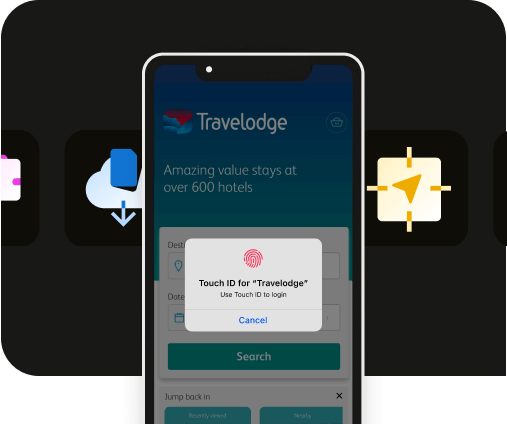
Median's native plugins add push notifications, haptics, biometric login, offline access, and other device features your web app cannot reach from the browser.
Launch a full-feature native app without native development!

Step 4: Test on real devices
Use the public sharing link for stakeholder testing, and install test builds on physical devices before submission. An Apple Developer account is required for iOS device testing.
Give the Gemini features extra attention. Responses stream over the network, and a flow that feels instant on office Wi-Fi can feel broken on a phone connection, which is exactly what an Apple reviewer will be holding.
Step 5: License and launch
The Billing tab in the App Studio lists plans by app functionality. Select a plan based on your needs. Median also offers an optional publishing service where its team manages the app store submission process end to end.
How to publish your AI Studio app to the Apple App Store and Google Play
The steps below assume you have built the app in the Median App Studio and tested it in the simulators or on a device.
Publishing to the Apple App Store
Apple's review process is rigorous, and your app needs to avoid looking like a bare web container. Follow these steps:
Register with the Apple Developer Program: Enrollment is typically $99 USD per year. Businesses register as an Organization, which requires a D‑U‑N‑S number, so the brand name appears correctly in the App Store.
Create your app record: In App Store Connect, create a New App and match the Bundle ID to the one in your Median-built app.
Complete metadata and privacy details: Upload iPhone screenshot sets, fill in name, description, keywords, category, and support URL, and complete Apple's App Privacy section. If the app requires login, add demo credentials under App Review Information.
Upload the build: Connect your Apple Developer account in the Median App Studio using an App Store Connect API key. Median then builds a signed distribution IPA in the cloud and uploads it directly to App Store Connect for TestFlight and App Store submission. No Mac, Xcode, or Apple Transporter is required (see the upload documentation).
Submit for review: Apple typically responds within 24 to 48 hours, though it can take longer.
Publishing to the Google Play Store
Create your Play Console account: Registration is a one-time $25 fee, and Google requires developer verification before publishing.
Complete the Play Console checklist: store listing metadata and graphics, a valid privacy policy URL, the Data Safety section, content declarations, permissions, target audience details, and app access instructions if login is required.
Upload your Android App Bundle: Generate the AAB from the Median App Studio (see the Android build documentation).
Start the rollout: After review and policy checks pass, roll out to Production. New accounts can wait up to 7 days for the initial security review.
Note: Before submitting your app, download the free App Store Publishing Checklist to make sure it's ready for both the Apple App Store and Google Play review.
If you would rather not manage submission yourself
Median's publishing service has the Median team handle the entire submission: metadata, review feedback, and resubmissions. Median has published over 4,000 apps and, as of July 2026, maintains a 100% approval rate.
Discover how Median empowers companies to speed mobile app development, engage users, and reduce expenses.

Subscriptions and in-app purchases in an AI Studio app
If your app charges for anything digital, Apple requires In-App Purchases and Google Play requires Google Play Billing, so a web checkout cannot be how users pay inside the store versions.
Median's RevenueCat plugin ships both stores' billing integrations inside your builds, and your web app reads subscription status through Median's JavaScript Bridge to gate premium features, including metered access to your Gemini features. The RevenueCat subscriptions guide covers the console setup and why the app needs a rebuild after monetization is added.
Frequently asked questions
Can Google AI Studio make mobile apps?
Google AI Studio can make Android apps but not iOS apps. Selecting Android in Build mode generates a native app in Kotlin and Jetpack Compose and can push it to Google Play's internal testing track, but it is a separate codebase from your web app, and there is no iOS support at all. To ship the app you already built to both stores, Median converts the deployed URL into native iOS and Android apps.
How do I publish a Google AI Studio app to the Apple App Store?
AI Studio has no iOS build, so getting onto an iPhone or iPad takes a different route: Median wraps your deployed AI Studio URL in a native iOS app, builds a signed IPA in the cloud, and uploads it to App Store Connect through your connected Apple Developer account. From there the submission follows Apple's normal review, and Median's publishing service can manage it for you.
Can I publish an AI Studio app to Google Play?
Yes, an AI Studio app can reach Google Play two ways. AI Studio publishes its generated Android app into the internal testing track, with the production listing left to you in Play Console. Median instead builds a signed Android App Bundle from your web app's URL, so the version in Google Play is the same product your web users see, ready for a production rollout.
Can I turn a Google AI Studio app into an APK or IPA?
Yes, Median builds both from your deployed URL: an APK for Android device testing and a signed IPA for iOS, with no code export needed. For Google Play itself you need an Android App Bundle rather than an APK, which Median generates from the same app.
Do I need to download the ZIP or export my code first?
No, you never need the ZIP export to make a mobile app. It holds your web app's source, useful for backups or custom hosting, while the native app loads your live URL, so updates you make in AI Studio appear in the installed app without a new store submission.
Can I turn a Gemini app into a mobile app?
If you built something in Gemini's canvas, the same idea applies: Median needs a stable public URL. A canvas share link can work for testing, and for a real launch it is worth moving the project into AI Studio's Build mode or another host you control, so the app has a deployment of its own. From there the conversion works exactly as described above.
Is the Google AI Studio mobile app the same as making my app a mobile app?
No, the Google AI Studio app in the App Store and Google Play is Google's own client for using AI Studio from a phone. It does not package your project as an app of its own. Giving your app its own store listing, icon, and push notifications is the website to app step this guide covers.
How do I deploy a Google AI Studio app?
AI Studio gives you three deployment options: publish to Cloud Run for a URL you control, share the app at its ai.studio link, or download the code and host it anywhere. Any of those gets you the stable URL that the mobile app then loads, so deploying the web app is step zero of reaching the app stores.
Do I need Cloud Run or a custom domain before converting?
No, a shareable ai.studio link is enough to build and test the native app. For launch, a Cloud Run deployment or custom domain gives users and reviewers a stable, branded address, and it keeps login and deep links consistent if your hosting changes later.
What should I test before submitting to the app stores?
Test login, mobile navigation, forms, file uploads, permission prompts, push notifications, deep links, app icons, splash screens, and privacy links. Test every Gemini-powered flow on a real phone connection, since streaming responses behave differently off Wi-Fi, and confirm your API key stays server-side however you deploy.
*DISCLAIMER: This content is provided solely for informational purposes. It is not exhaustive and may not be relevant for your requirements. While we have obtained and compiled this information from sources we believe to be reliable, we cannot and do not guarantee its accuracy. This content is not to be considered professional advice and does not form a professional relationship of any kind between you and GoNative.io LLC or its affiliates. Median.co is the industry-leading end-to-end solution for developing, publishing, and maintaining native mobile apps for iOS and Android powered by web content. When considering any technology vendor we recommend that you conduct detailed research and "read the fine print" before using their services.*