TL;DR Most enterprise teams have already decided mobile matters. The hard part is getting a mobile project approved, because it's five decisions owned by five people: the CTO, CISO, Head of Engineering, CFO, and an executive sponsor. There are three ways to deliver it. Build native apps in-house, buy through an agency, or convert the web product you already have into native iOS and Android apps. Converting usually costs a fraction of a native build, keeps user data on your own servers, and leaves your web team in charge of the product. Building still wins when mobile is the product itself. Taking this to your security team? Book a call with Median, and we'll send the SOC 2 report and security answers before they ask.
Getting a mobile app approved is harder than it used to be. Buying committees are bigger, security teams are asking about AI data flows and privacy manifests, and Finance needs a long-term number instead of a build quote. This guide walks through each path, what it really costs, and the questions each stakeholder will ask, so you can prepare for all of them at once instead of one meeting at a time.
What is enterprise mobile app development?
Enterprise mobile app development, often shortened to enterprise app development, is building and running iOS and Android apps for an organization rather than for individual consumers. These apps serve employees, customers, or partners at scale, and they must meet requirements consumer apps don't, such as single sign-on, mobile device management, audit support, and a security review before launch.
Most enterprise mobile apps fall into three groups:
Employee apps: Intranets, scheduling, internal news, field tools. People use them because the job requires it.
Customer apps: Account portals, patient portals, client dashboards. People have options, so the experience has to hold up.
Partner apps: Broker, dealer, and vendor portals, or a branded app for each client of a SaaS platform.
Enterprise mobile app development options: build vs. buy vs. convert
The build vs. buy vs. convert decision usually comes down to one question: Is mobile a core differentiator for your business, or supporting infrastructure for a product that already works? If it's infrastructure, spending your best engineers on it means not spending them on what actually sets you apart.
In-house native enterprise app development
Your team builds and maintains separate iOS and Android apps, or one cross-platform app. You get full control and own every line of code. You also own every OS update, store submission, and SDK change for as long as the app exists, which usually means a dedicated mobile team.
Best for: apps where mobile is the product, with complex native interfaces, heavy offline use, or deep device hardware.
Hiring an enterprise mobile app development company
An outside team builds the app for you. It's faster to start than hiring, but the hard questions move into the contract. Who owns the source code? Does maintenance cover OS changes? How fast does the agency respond if something breaks? The answers depend on what you negotiated.
Most agencies sell enterprise app development services by the project, so when you ask for an enterprise app development quote, check whether it covers the years after launch or only the build.
Best for: a one-time build with a clear scope and an internal team ready to take it over.
Using an enterprise mobile app development platform (web-to-app)
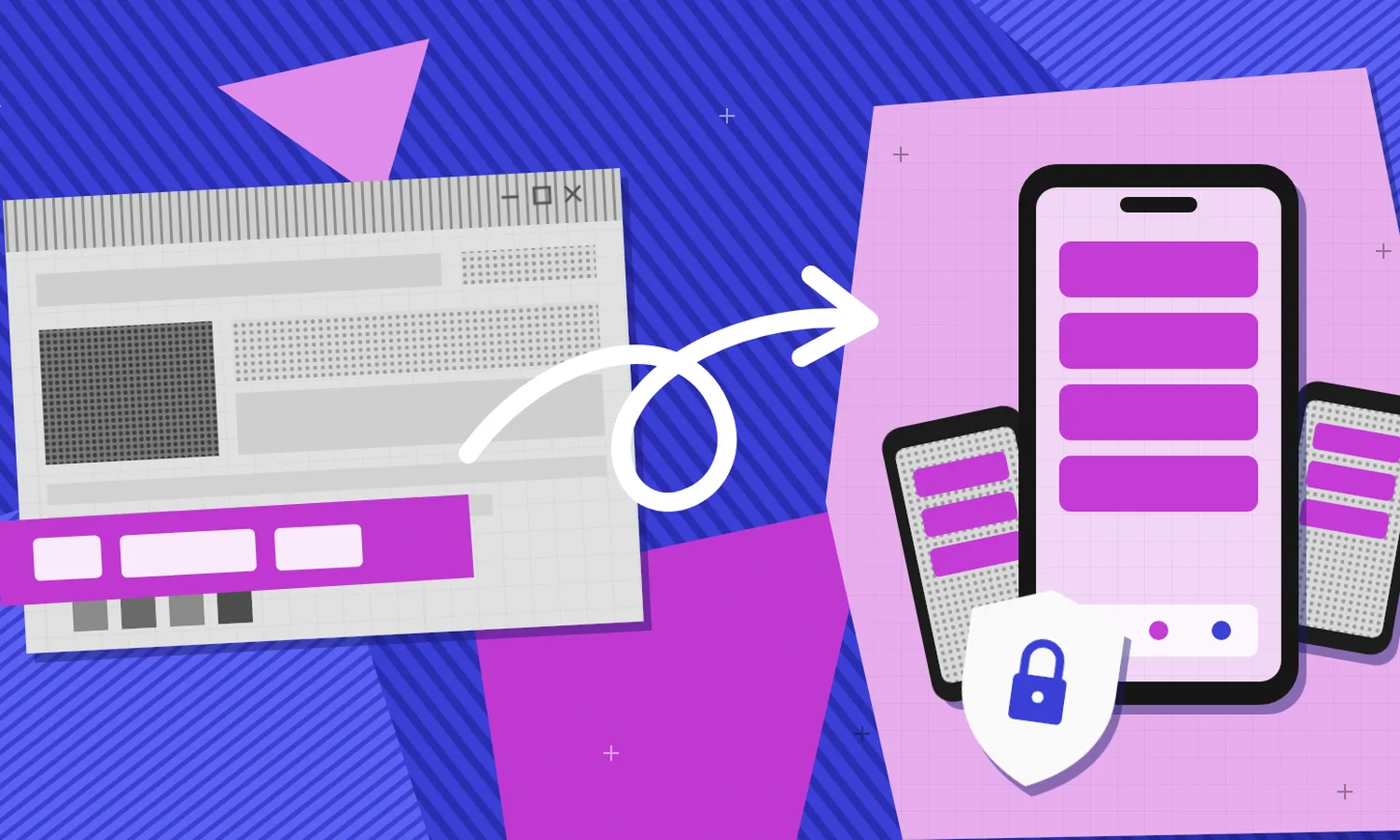
A web-to-app platform, a type of enterprise app platform built for teams that already have a web product, wraps your existing web product in native iOS and Android apps, then adds the native layer, such as push notifications, biometric login, tab navigation, and device management support. Your web team keeps building in the code it already knows, and the apps pick up web changes without a new store submission.
Best for: teams with a proven web product, a customer or employee portal, or a SaaS platform that needs to be on phones without rebuilding stable functionality.
Native vs. agency vs. web-to-app: enterprise app comparison
Here's how the three app development options compare on the questions enterprise buyers ask most. For a line-by-line cost breakdown, see our guide to app development costs.
In-house native development
Starting point: a blank project, separate from your web app.
Codebases to maintain: two mobile apps plus your web app.
iOS and Android updates: your team, roughly 100 to 300 hours per major OS release.
Security and identity: you control the data path, but SSO, MFA, and MDM support all have to be rebuilt for mobile.
Source code: you own everything.
Cost: developer salaries (the US median was $135,980 a year in May 2025), plus recruiting and test devices, and maintenance of roughly 15% to 25% of the build cost every year.
Enterprise mobile app development company or agency
Starting point: a blank project, built by an outside team.
Codebases to maintain: two mobile apps plus your web app.
iOS and Android updates: only covered if your retainer says so.
Security and identity: depends on the agency's architecture and certifications.
Source code: negotiate ownership up front, not at the end.
Cost: a project fee from $5,000 for a simple app to $300,000+ for a complex one, plus maintenance and your team’s time managing the vendor.
Web to app platform (Median)
Starting point: your existing web product.
Codebases to maintain: one, your web app.
iOS and Android updates: included in the plan, along with store submissions.
Security and identity: user data goes straight to your servers, your identity provider carries over, Microsoft Intune is supported for MDM and MAM, and Median is SOC 2 Type II certified.
Source code: build platform API access and source-level transparency on the Enterprise plan.
Cost: the Business plan is $7,200 a year for fully managed apps, Enterprise plans are quoted, and maintenance and OS updates are included.
How much does enterprise mobile app development cost?
Most mobile cost conversations focus on the build quote. The enterprise app development quote is the number everyone sees. Maintenance, OS updates, store operations, and the engineering time pulled off other work are where mobile projects go over budget.
Native build: developer salaries (the US median was $135,980 a year in May 2025), plus recruiting, test devices, and maintenance of roughly 15% to 25% of the build cost every year.
Agency build: a project fee from $5,000 for a simple app to $300,000+ for a complex one, plus maintenance and your team’s time managing the vendor.
Web-to-app platform: Median’s Business plan is $7,200 a year for fully managed apps, with maintenance and OS updates included. Enterprise plans are quoted.
For a line-by-line breakdown, see our guide to app development costs.
Your numbers will depend on team rates, scope, integrations, and compliance requirements like HIPAA or GDPR. Apple’s developer fee is $99 a year and Google Play’s is a one-time $25 in every scenario.
The line item teams underestimate most is OS updates. Apple and Google ship major releases every year, plus smaller changes to privacy, push notifications, and sign-in rules. With a native build, budget roughly 100 to 300 hours per major OS update across both platforms. With Median, the plan covers OS compatibility for new iOS and Android releases.
How to get an enterprise mobile app approved: 5 stakeholder questions
Mobile approval involves five stakeholders, and each is solving a different problem. Sequential approvals take much longer than parallel ones, so the fastest path is to prepare for all five at once and give each person the version of the answer they're actually evaluating.
Architecture, with the CTO: Whether this creates a vendor dependency that's hard to escape, and whether anyone can debug it a year from now.
Security, with the CISO: Whether mobile opens an attack surface nobody has accounted for, including AI data flows, privacy manifests, and MDM behavior.
Capacity, with the head of engineering: Who maintains it after launch, and what gets deprioritized to make room.
Cost, with the CFO: Total cost of ownership over three years, not the build quote.
Strategy, with the executive sponsor: Whether it's worth the political capital, and whether there's a clean exit if plans change.
Enterprise app architecture and vendor lock-in: what CTOs ask
Most CTO pushback on mobile comes from risk, often a past project that went badly. These four questions come up again and again.
Will Apple approve an enterprise app built from a website?
Two worries sit behind this one. Will Apple reject it, and will it feel like a bookmark? Apple's Guideline 4.2 rejects thin wrappers that load a URL and do little else. An app with a real native layer around the web content, such as native tab navigation, push, biometric login, and offline handling, is a different thing. Median handles store submissions for its customers with a 100% approval rate across thousands of managed apps.
Who handles iOS and Android updates?
With a native build, your team does, every year. With an agency, it depends on whether the retainer explicitly covers OS changes. With Median, compatibility with new iOS and Android releases is part of the plan, and the Business plan updates your apps ahead of every release so they don't get delisted.
Can you debug a web-to-app app in production?
The bridge between web and native code is an external interface, and bugs hide there. Most production bugs in a converted app live in the web layer your team already debugs every day, with the crash reporting and analytics you already run. The native shell is small, so the surface area for native-only bugs is small too. Ask for support response and resolution targets in writing.
Who owns the source code, and how do you avoid vendor lock-in?
Lock-in is a fair concern. Some web to app platforms hand you a binary and nothing else. Median gives enterprise customers build platform API access and source-level transparency, so moving to a native build later doesn't start from zero.
Enterprise app security and compliance: what CISOs ask
This is where mobile timelines can slip, since every round of questions with a security team can take a week or two. The shortcut is to walk in with the answers already written in their language. Most enterprise app security reviews come down to the six questions below.
Data residency and GDPR: does user data pass through the vendor?
Some mobile platforms sit between the device and your backend, which adds a second processor, a second jurisdiction, and a second DPA. Median doesn't. App traffic goes straight from the user's device to your servers, and Median doesn't process or store end-user data. If you're hosted in AWS Frankfurt, your mobile data stays in Frankfurt, and under GDPR you remain the data controller.
AI in enterprise apps and Apple guideline 5.1.2(i)
Apple updated Guideline 5.1.2(i) in November 2025 to name third-party AI, so apps must disclose when they share personal data with an AI provider and get consent first. With Median, AI calls happen between your backend and your AI provider, exactly as they do on the web. Your existing AI governance, prompt logging, and PII redaction rules carry over.
SOC 2 Type II, security assessments, and SBOMs
Median is SOC 2 Type II certified for its App Studio and build environment, where account data is hosted in US-East, and shares the report with enterprise customers under NDA. Because each app is built individually, your security team or an outside assessor can review exactly what ships, and Median's team works through any findings with you. Each build is yours, so your software bill of materials matches your binary, and you can bring SDKs from vendors you've already approved.
Intune enterprise app management, MDM, and BYOD support
Median's Microsoft Intune plugin supports full MDM and MAM, including keeping work and personal data separate on personal phones. The enterprise plugins add jailbreak and root detection, Face ID and Touch ID, screen capture blocking, clipboard restrictions, and blocking of insecure network requests. Your web team can control some of these at runtime through the JavaScript Bridge. For example, median.secureScreen.set() turns screen capture protection on for a sensitive page.
How fast can you ship a security patch?
Most fixes live in the web layer, so they reach the app the moment your site updates, with no store submission. Native changes still go through review, and Median handles those submissions.
Does it work with our SSO and identity provider?
Yes. The app uses your existing sign-in, and Median works with Okta, Auth0, and standard OAuth and SAML providers, so your SSO and MFA policies carry over instead of being rebuilt for mobile.
Enterprise app maintenance after launch: what engineering leads ask
Your engineering lead is probably more worried about year two than launch day. They've seen mobile projects end with one overloaded engineer maintaining two codebases on the side of their real job.
Answer four things directly:
Who maintains the app after launch? Engineering leads have seen “we’ll figure it out” stall projects.
What happens at 2 a.m. if it breaks? Know who's on call and what the SLA says. Median's Enterprise plan includes an SLA for priority technical support.
What do we stop doing to make room? Name it, since engineering leads respect an honest trade-off more than an optimistic capacity estimate.
What's the exit path? If mobile becomes strategic enough for a native rebuild in two years, the cost should be "non-trivial but bounded, and we'll have real usage data to guide it."
Enterprise mobile app total cost of ownership: what CFOs ask
Bring the multi-year numbers, not the build quote. Then show where each option puts the risk. Native and agency builds carry the cost of every OS update and store change. A web-to-app license carries most of that for you, and your web team's existing roadmap keeps paying off on mobile instead of being duplicated.
A CFO will also ask what the app earns or saves. An app can do things a mobile website can’t.
A direct line to customers – Push notifications land on the lock screen. They don’t compete with an inbox full of promotions, and they don’t depend on an ad platform to reach your audience. That makes the app a channel you own, for order updates, renewals, appointment reminders, and offers. Our comparison of push notifications vs. email covers when each works best, and our guide to push notification segmentation explains how to reach the right customers without wearing them out.
Repeat sales for retail and commerce – Customers who install your app have chosen to keep you on their home screen. Saved accounts, faster checkout, and timely offers make the next purchase easier. Our guide to the features every retail app needs breaks down which ones drive sales.
Reaching employees who don’t sit at a desk – Frontline teams often don’t check work email. Whole Foods Market uses its app to get shift schedules and company news to more than 91,000 employees, on phones they already carry.
Costs that move from fixed to variable – Ruuster turned app deployment from a fixed cost into a variable one, so each new client app adds cost only when it adds revenue. Doctena switched to Median from a previous vendor and called the savings “huge.”
You can find the full stories, along with results from McKesson, Aon, and Conrad Siegel, in Median’s customer case studies.
Whatever the business case, agree on how you’ll measure it before launch, whether that’s app-driven revenue, push engagement, or weekly active use in the pilot group. Tracking push notification metrics from day one gives the CFO a number to review at the six-month mark, instead of a promise.
The business case for an enterprise app: what executive sponsors ask
Executive sponsors want to know they can undo the decision. A decision that turns out wrong is still defensible if it's easy to unwind, so lead with the off-ramps.
What's the unwind cost in 18 months? Show you've thought about the exit before they ask.
What does success look like at six, 12, and 24 months? Give milestones they can point to.
What's the one early signal it isn't working? Choose a leading metric, like weekly active use in the pilot group, not a lagging one.
Converting holds up well here because it avoids the lock-in that's hardest to undo. Identity stays unified with your existing provider. Security patches ship with each web release. Compliance controls for GDPR, CCPA, or HIPAA stay at the web layer instead of becoming a separate mobile program that needs its own staff and audits.
Enterprise app store options: public stores, private apps, and MDM
When people search for an enterprise app store, they usually mean one of two things. Either a private catalog where employees install approved company apps, or a way to publish an internal app without listing it publicly.
Customer and partner apps go in the public App Store and Google Play under your brand. Employee apps usually don't need to be public. The main options are a private listing through Apple Business Manager or Managed Google Play, an MDM push to managed devices, or an unlisted App Store listing that only people with the link can find.
On the Enterprise plan, Median helps with internal MDM distribution. Our guide to private apps covers each route, and the MDM guide covers device management.
2026 iOS and Android requirements for enterprise apps
Even teams with no rush find that Apple and Google set the timeline. Each of these is work someone has to own if you build in-house.
Xcode 26 – Since April 28, 2026, new apps and updates must be built with Xcode 26 and the iOS 26 SDK.
Android 16 – Google Play requires new apps and updates to target Android 16 (API level 36). Extensions run out November 1, 2026.
Android developer verification – Live in Brazil, Indonesia, Singapore, and Thailand since September 30, 2026, and global in 2027. It covers apps installed outside Google Play too, including internal ones.
Privacy manifests – Every SDK on Apple's list needs a signed privacy manifest, and mismatches are now one of the most common rejection reasons.
Age verification laws – Texas, Utah, and Louisiana now require apps to request age signals from Apple and Google, and California follows on January 1, 2027. Median's AgeSafety plugin handles both platforms through one JavaScript integration.
Enterprise mobile app examples and case studies
McKesson tried building its own .NET MAUI wrapper for SharePoint first and found it was more work than expected. It switched to Median and rolled a native employee app out to 19,000+ people in the pilot, replacing its Salesforce mobile app, with a company-wide rollout planned. "Median provides all the functionality of our SharePoint platform within a native app," says Scott Byrge, Lead Software Engineer. "We would not have been able to build such a sophisticated native app ourselves."
Aon put Median through its full security, usability, and procurement checklist before piloting an employee app across its 30,000-person workforce.
Whole Foods Market runs its app for 91,000+ employees, with shift schedules, internal news, push notifications, and QR code scanning, on one Vue.js codebase, with no iOS or Android developers on the team.
Conrad Siegel had a secure app live in both stores two weeks after sending its icons and branding. It serves about 5,000 retirement plan participants, and website updates flow straight into the app.
Doctena moved to Median from a previous vendor and now serves 40,000+ users a day.
BenefitsApp and Ruuster ship a branded app for each of their clients. BenefitsApp launched its first, built on Salesforce Lightning, in under two months.
When to build a native enterprise app instead
A web-to-app platform isn't the answer for every enterprise app. If mobile is the product itself, if the app needs complex native interfaces or heavy offline work in places with no signal, or if it depends on deep device hardware, a native build is usually worth the cost.
Ask four questions before you build:
Does this capability set you apart from competitors?
Can you maintain it better than a vendor?
Will building it create a lasting advantage?
Does the business value justify a multi-year commitment? If the answer to all four is yes, build.
Median: an enterprise mobile app development platform for web teams
Median turns your existing web product into native iOS and Android apps and runs the mobile layer for you, including builds, store submissions, OS updates, and a plugin library for push, analytics, sign-in, MDM, and security. That's one vendor, one DPA, and one SOC 2 review instead of a mobile team plus a stack of SDK vendors.
If you're comparing enterprise mobile app development companies against a platform, Median is built for teams with a proven web product, clear demand for mobile, and no plan to rebuild what already works. Median has run the platform since 2014, and more than 1.7 million apps have been built on it.
The Business plan is $7,200 a year for fully managed apps, with Median's team building, publishing, and maintaining them. The Enterprise plan adds security and compliance hardening, a developer toolkit for multi-environment deployment, help with internal MDM distribution, and an SLA-backed compatibility guarantee.
Book a call to walk through your approval plan, or enter your URL at median.co to preview your app in minutes.
Frequently asked questions
What is an enterprise mobile app?
An enterprise mobile app is an iOS or Android app built for an organization rather than individual consumers. Enterprise apps serve employees, customers, or partners, and they have to meet requirements such as single sign-on, device management, and a security review before launch.
Should we build, buy, or convert an enterprise app?
Build when mobile is your product or needs complex native features. Buy through an agency for a one-time build your team will take over. Convert when you already have a web product that works and need it on phones without duplicating it, which is the case for most employee apps and customer portals.
What is the best app creator for enterprise?
It depends on where you're starting. If you're building a new internal workflow inside Microsoft 365, a low-code tool like Power Apps fits. If mobile is the product, build native. If you already have a web product, portal, or intranet that works, a web-to-app platform like Median gets it into both app stores fastest, with one codebase, SOC 2 Type II certification, and Intune support.
What is an enterprise app store?
An enterprise app store is a private catalog where employees install the apps their company has approved. On iOS, companies usually distribute these through Apple Business Manager as custom apps, and on Android through Managed Google Play, often pushed to devices by an MDM like Microsoft Intune.
Do we need enterprise app development services, or a platform?
Hire enterprise app development services when you need a new native app built from scratch. Use a platform like Median when the product already works on the web, since Median builds, publishes, and maintains the apps for you on the Business plan.
How much does enterprise mobile app development cost?
An agency build typically runs from $5,000 for a simple app to $300,000+ for a complex one, and in-house teams start with developer salaries around $135,980 a year each, plus maintenance of roughly 15% to 25% of the build cost every year. Median’s Business plan is $7,200 a year with maintenance included, and Enterprise plans are quoted.
Will Apple approve an app built from our website?
Yes, if it's more than a thin wrapper. Apple's Guideline 4.2 rejects apps that just load a website. Apps with native navigation, push notifications, and biometric login pass, and Median handles submissions with a 98% approval rate across thousands of apps.
Does Median see or store our users' data?
No. App traffic goes straight from the device to your servers, and Median doesn't process or store end-user data. Your data stays where you host it, and you remain the data controller under GDPR.
Is Median SOC 2 Type II certified?
Yes. Median is SOC 2 Type II certified for its App Studio and build environment, and enterprise customers can get the report under NDA. Median also supports independent security assessments of each app.
Does Median support Microsoft Intune, MDM, and SSO?
Yes. Median's Microsoft Intune plugin supports MDM and MAM, including work and personal data separation on personal phones. The app uses your existing sign-in and works with Okta, Auth0, and standard OAuth and SAML providers.
Can we move from a web-to-app platform to a native app later?
You can. Median gives enterprise customers build platform API access and source-level transparency, so a later native build starts from what you've learned, not from zero.
*DISCLAIMER: This content is provided solely for informational purposes. It is not exhaustive and may not be relevant for your requirements. While we have obtained and compiled this information from sources we believe to be reliable, we cannot and do not guarantee its accuracy. This content is not to be considered professional advice and does not form a professional relationship of any kind between you and GoNative.io LLC or its affiliates. Median.co is the industry-leading end-to-end solution for developing, publishing, and maintaining native mobile apps for iOS and Android powered by web content. When considering any technology vendor we recommend that you conduct detailed research and "read the fine print" before using their services.*