Lovable, Replit, Netlify, Webflow, and Framer are the AI and no-code builders most vibe coders pick from, and the right one depends on what you are building: Lovable for full web apps with auth and a database, Replit for code-level control and backends, Netlify for framework projects deployed from Git, Webflow for CMS-driven sites, and Framer for design-led marketing sites. None of them produce a native mobile app. Whichever you choose, the App Store and Google Play step works the same way: Median turns the deployed URL into an iOS and Android app with the native features reviewers expect.
Choosing an AI app builder is the first real decision of a vibe-coded project, and it is worth getting right. The builder decides your stack, your hosting, and how much of the product you can change later.
This guide compares the five AI app builders Median sees most often in web to app and website to app projects, what each one is best at, and what happens when the web app needs to become a real iOS and Android app. That last part belongs in the selection decision, because none of these platforms produce a mobile app. The store step is separate, and it works the same no matter which builder you pick.
The 5 best AI app builders for vibe coding, compared
Lovable
Lovable is an AI-powered platform that allows users to generate web applications using natural language, without the need to write code.
It helps users create a wide range of web apps, from e-commerce platforms to dashboards to content management systems to social media applications.
By simply describing what you need, Lovable handles the coding and gives you a functional, real-time preview of your web app.
Key features of Lovable include:
Conversational interface: Communicate with the platform just like you would with a developer, but receive immediate feedback and live previews.
Real-time code generation: As you describe your project, Lovable generates code and updates your web app instantly.
Modern web technologies: Lovable uses technologies such as React, TypeScript, Tailwind CSS, and Supabase, which provide flexibility and scalability.
That conversational method makes web app creation fast and genuinely accessible to non-programmers. Everything it produces, though, is a web app.
Lovable guides users to Median.co as a tool to publish your app to the Apple App Store and Google Play. Here’s how to convert your Lovable web app into a native app.
Replit
Replit is a cloud-based development platform that lets you code, create, and deploy web applications entirely in the cloud.
Each project, called a Repl, spins up a dedicated virtual machine. This gives you a full Linux environment with persistent storage, package access, and system-level capabilities. Replit removes the need for local setup entirely.
With Replit, you get a powerful code editor, project configuration, terminal access, and real-time previews all in one browser tab.
Every time you run code, it's executed directly in the cloud, with output shown instantly, with no local compilation or deployment required. Replit automatically hosts your web app and gives it a live URL, with built-in networking and hosting infrastructure.
The whole development cycle, from coding to collaborating to deploying, happens in one browser tab.
It suits rapid prototyping, collaborative projects, and web apps you plan to keep growing.
Getting that URL into a native app shell, with push notifications, deep linking, and proper review submission, is what the Replit guide covers.
Read more: How to convert your Replit web app into a native app.
Netlify
Netlify is a cloud platform for building, deploying, and scaling modern websites and web applications. It connects directly to your Git repository, automatically building and deploying your site/web app to a global CDN, making your web app or website load fast, everywhere.
Every time you push new code, Netlify instantly rebuilds and redeploys your site with no manual labor.
Netlify also supports serverless functions for dynamic features, eliminating the need to manage backend infrastructure.
It works cleanly with popular frameworks like React, Vue, Angular, Next.js, and Astro. You also get access to built-in tools for form handling, authentication, image optimization, and visual editing.
But, at its core, Netlify eliminates infrastructure complexity, letting teams focus on delivering great user experiences.
Here’s how to convert your Netlify-deployed website or web app into a native app.
Webflow
Webflow is a visual web development platform that you can use to design, build, and launch responsive websites without writing a single line of code.
By combining design, CMS, and hosting into one platform, Webflow gives developers and designers full control of their projects from concept to launch.
Using the Webflow Designer, you can visually manipulate HTML elements and style them with CSS, while the platform automatically generates clean, semantic code in the background.
Webflow offers powerful CMS capabilities that make it easy to manage dynamic content such as blogs, portfolios, and product listings. If you’re a content creator or a marketer, you can make updates without interfering with the design or layout.
It natively supports advanced interactions and animations, enabling you to create engaging user experiences without relying on external plugins or JavaScript. This makes it ideal for modern websites that demand high levels of interactivity.
Note: Webflow delivers assets via a global CDN, includes automatic responsive image handling, and offers SEO-friendly controls. These features help ensure your site loads quickly and ranks well, making performance optimization an inherent part of your website design.
Dive deeper with our guide: How to convert your Webflow website into a native app.
Framer
Framer is a web design platform for building polished, design-led sites without writing code. Framer combines the familiar feel of a design tool with advanced web capabilities, allowing you to build everything from portfolios and landing pages to complex websites with dynamic content.
What sets Framer apart is its modern infrastructure and focus on performance. Sites are pre-rendered for fast loading, include built-in privacy-first analytics, and feature automatic resource optimization. Plus, you get access to high-performance animations and real-time collaboration tools built for working with teams.
Framer’s hosting infrastructure is built for simplicity, performance, and reliability, using Amazon Web Services (AWS) with CloudFront, S3, and large in-memory caches.
Ready to take your Framer site to the app stores? The complete process is in the guide: How to convert your Framer website into a native app.
How to choose between them
Pick Lovable when the product is a full web app with accounts, a database, and app-like screens.
Pick Replit when you want code-level control, a backend process, or an environment you can grow into.
Pick Netlify when you are already working in a framework such as React or Next.js and deploying from Git.
Pick Webflow when the project is content-heavy and a visual CMS matters more than custom logic.
Pick Framer when design quality and speed matter most, such as marketing sites and portfolios.
If the app will ever charge for digital features, weigh account and payment handling early. Those flows shape the store review later.
Built with something else
Other AI app builders follow the same pattern, including Base44, Emergent, Google AI Studio, and Cloudflare VibeSDK, alongside Apple Developer account setup steps and what to do if your app gets rejected.
For a recent example of how fast this can move, SkinCure Oncology used Median's Publishing Service to convert their AI-built web app into a native iOS and Android app and get it into both app stores in time for an industry conference launch.
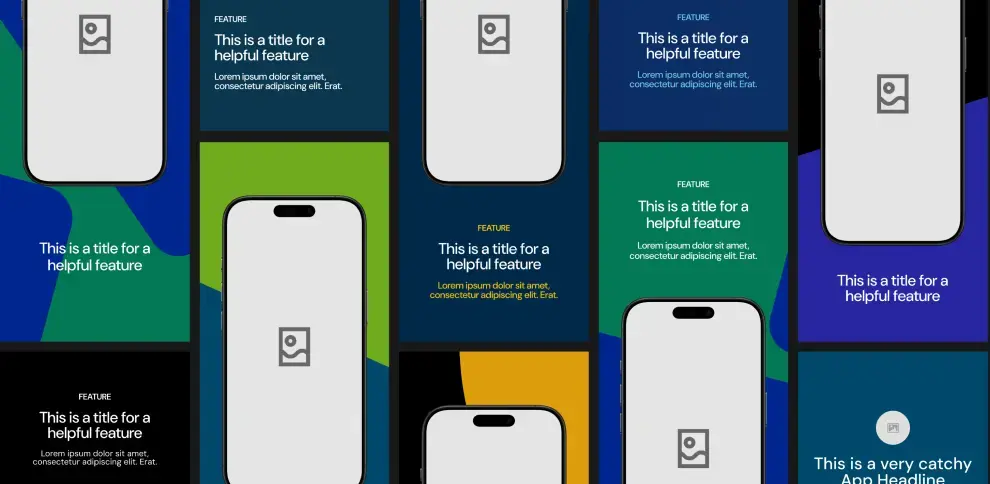
Unlock Median’s 500+ free Figma app store screenshot templates designed to meet iOS and Android guidelines. Your app will look its best across platforms, resulting in more downloads and a more powerful app store presence.
The step none of these builders handle: the app stores
Every builder above ends at a live URL. Apple and Google review installed apps, and both reject apps that repackage a website without adding native, app-specific functionality (Apple's Guideline 4.2 and Google Play's minimum functionality policy).
Passing review means the app carries features that belong on a phone: push notifications, biometric login, deep linking, offline behavior, or camera and location access used meaningfully. You do not need all of them, but you need enough that a reviewer sees a mobile app rather than a website bookmark. If the app sells digital products, the stores also require their own billing systems.
Median's native plugin library covers the common ones out of the box. The full path from deployed URL to approved listing, including store assets, signing, review readiness, and the rejection causes that catch vibe coders, is in the vibe-coded app store playbook.
How Median can help you convert AI projects into native apps
Median isn't a basic wrapper, and it doesn't ask you to rebuild your app from scratch in Swift or Kotlin either.
Median is the native foundation that sits underneath your existing web app, the part that makes the difference between a website that opens inside a frame and a real app that belongs on someone's home screen.
Using Median's App Studio, you can convert any website into a mobile app with native features such as push notifications, haptic feedback, and device-specific functionality like GPS and camera access.
Key benefits of using Median.co
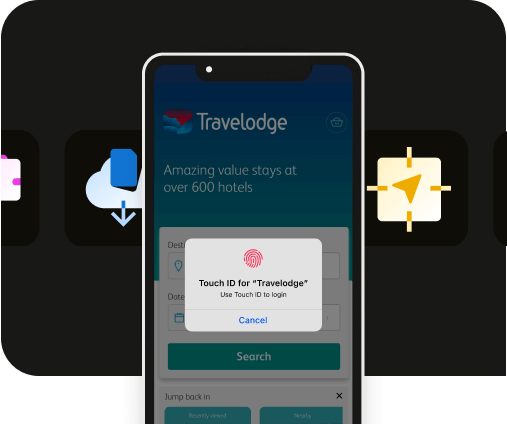
Extensive native plugin library: Median's App Studio includes a wide range of native plugins that allow you to easily add advanced native features to your app, such as push notifications, haptics, Face ID/Biometric login, and more, including SDK integrations for leading mobile vendors.
Real-time app building: The platform lets you see real-time updates of your app as you customize it, ensuring you get the exact look and feel you want.
Automated, hands-off publishing: App Studio connects directly to your Apple Developer account and automates Bundle ID registration and App Store Connect uploads, so you don't have to export files or submit manually every time you update your app. And if you'd rather hand off the entire process, Median's publishing service will submit your app to both the Apple App Store and Google Play Store for you.
How to convert your AI project into a native app using Median.co
Ready to convert your AI project into a native app? Get started with a step-by-step guide to using Median's App Studio.
Step 1: Build your app in the Median.co App Studio
Start by visiting https://median.co/app. Enter your site’s URL as the "Website URL" and update your "App Name" as needed.
An email address is required for ongoing access to your app in the App Studio. You’ll then receive an email with a link to verify your account. To continue, click the button to start building your app.
Step 2: Preview and test your new app
Median.co offers browser-based simulators to preview your app on iOS and Android devices without leaving your web browser.
As a starter, test that the basic functionality within your new app is performing as expected.
Step 3: Customize your app
In the Branding tab, you can upload an app icon and splash screen image or animation, and set theme colors to fully customize your app and align with your brand.
Additionally, you can explore options for Interface Settings, Link Handling, Website Overrides, and Permissions to tailor your app user experience to meet your requirements.
Native Navigation is where you can create a native app experience for your users, as well as finding help to meet Google and Apple design requirements.
Finally, you can explore Median’s native plugins to add advanced native features and integrations such as push notifications, haptic feedback, and analytics to enhance user experience and maximize outcomes for your app.
Step 4: Test your app
Now that your app is customized, it’s crucial to test it on different devices before submitting it to the app stores.
Median.co offers:
Browser-based simulators to help ensure everything is functioning properly.
A convenient Public Sharing Link to provide access to stakeholders during testing.
Functionality to easily test on physical devices (an Apple Developer account is required for iOS).
Step 5: Connect to App Store Connect (iOS)
Before you can submit to the Apple App Store, you'll need an Apple Developer account. If you haven't already, enroll here.
Once you're enrolled, connect your Apple Developer account directly to App Studio. From there, App Studio handles Bundle ID registration and uploads to App Store Connect automatically, so you're not exporting files or submitting builds by hand every time you update your app.
For Android, submission still happens through Google Play Console.
Step 6: Launch your app
Open the Billing tab in the App Studio and select a plan based on the functionality your app needs.
Median.co offers various tiers based on the functionality your app needs.
App store publishing support
If you'd rather not tackle Steps 1-5 on your own, Median's publishing service handles mobile app development end-to-end.
You hand off your live URL, and Median's team builds the native app, adds the functionality reviewers need to see, configures the platform-specific requirements for iOS and Android, and manages the submission.
If Apple or Google comes back with questions, Median's team handles the response. The publishing team maintains a 100% approval rate (as of July 2026) because it has seen every rejection scenario and knows how to navigate them before they become delays.
From vibe-coded to app store approved with Median
In a nutshell, AI tools solved the problem of building a web app fast. Median solves the other half. Your web app stays exactly as it is, the part you can update and ship on your own timeline, and Median adds the native layer that makes it legitimate enough for the App Store and Google Play.
It's the bridge between something you built quickly and something users can actually download.
For teams that want to stay hands-on, Median's self-serve platform starts at $179/year and gives you the full native plugin library to work with on your own timeline.
For enterprise teams, Median delivers production-grade apps that pass review, meet security and procurement requirements, and stay maintainable as the underlying web product evolves. One codebase, two app store listings, and a compliance foundation that doesn't require a separate engineering workstream.
Either way, you're not hiring iOS and Android developers. Whole Foods Market runs their internal employee app for 91,000+ staff on Median without a single native developer on the team.
Get started or talk to the team if you're working through a deadline.
Questions people ask about vibe coding native mobile apps
How do I deploy it?
Your AI builder handles the web deployment automatically. Lovable, Replit, Netlify, Webflow, and Framer all give you a live URL as soon as your app is built. Mobile deployment is a separate step. You wrap that live URL into a native app shell, add native features, configure platform requirements, and then submit through App Store Connect for iOS and Google Play Console for Android. Median's publishing service handles this end-to-end if you don't want to manage app store submissions yourself.
What’s the best AI to vibe code an app?
The best AI app builder depends on what you're building, and none of them directly produce native mobile apps. Whichever one you pick, getting into the App Store and Google Play works the same way: wrap the live URL, add native features, and submit for review.
How long does it take to vibe code an app?
The web app itself can be built in a few hours using most AI tools. The longer timeline is the publishing process.
How do I make an app from a website or HTML code?
You wrap the website rather than rebuilding it. Your web app stays as-is and runs inside a native app shell that adds the mobile-specific features (e.g., push notifications, biometrics, haptics, deep linking, offline behavior, etc.) that mobile users expect and that app store reviewers require. This is what Median's platform does. The alternative, rebuilding your web app natively in Swift or Kotlin, is months of work and requires platform-specific developers.
Why do apps get rejected? What do I do?
If your app is rejected, read the reason for the rejection carefully. Apple almost always tells you which guideline was violated. The most common Apple rejection causes Median sees are Guideline 4.2 (limited functionality), privacy policy issues, metadata problems, and payment flow violations. Most are fixable without rebuilding, and the store-readiness checklist in the vibe-coded app store playbook covers how to avoid them up front.
What's the difference between a webview wrapper and a native app?
A webview wrapper loads your URL inside a native shell. It's the simplest approach and usually fails app store review because it doesn't add native value. A fully native app is expensive, slow, and requires platform-specific developers. Median is the third option: your web app stays as-is, but native features such as push notifications, biometrics, deep linking, and offline mode are layered on top.
Will Apple reject my app if I built it with an AI tool?
Apple reviews the app, not how you built it. What matters is whether it meets their guidelines, such as offering functionality beyond a website (Guideline 4.2), having a working privacy policy, loading without crashing, and not linking to external payment flows for digital goods. Vibe coding with Lovable, Replit, Netlify, Webflow, Framer, or other AI platforms such as Base44 doesn't automatically trigger rejection, but shipping a bare URL in a webview without native features does.
Launch a full-feature native app without native development!

*DISCLAIMER: This content is provided solely for informational purposes. It is not exhaustive and may not be relevant for your requirements. While we have obtained and compiled this information from sources we believe to be reliable, we cannot and do not guarantee its accuracy. This content is not to be considered professional advice and does not form a professional relationship of any kind between you and GoNative.io LLC or its affiliates. Median.co is the industry-leading end-to-end solution for developing, publishing, and maintaining native mobile apps for iOS and Android powered by web content. When considering any technology vendor we recommend that you conduct detailed research and "read the fine print" before using their services.*