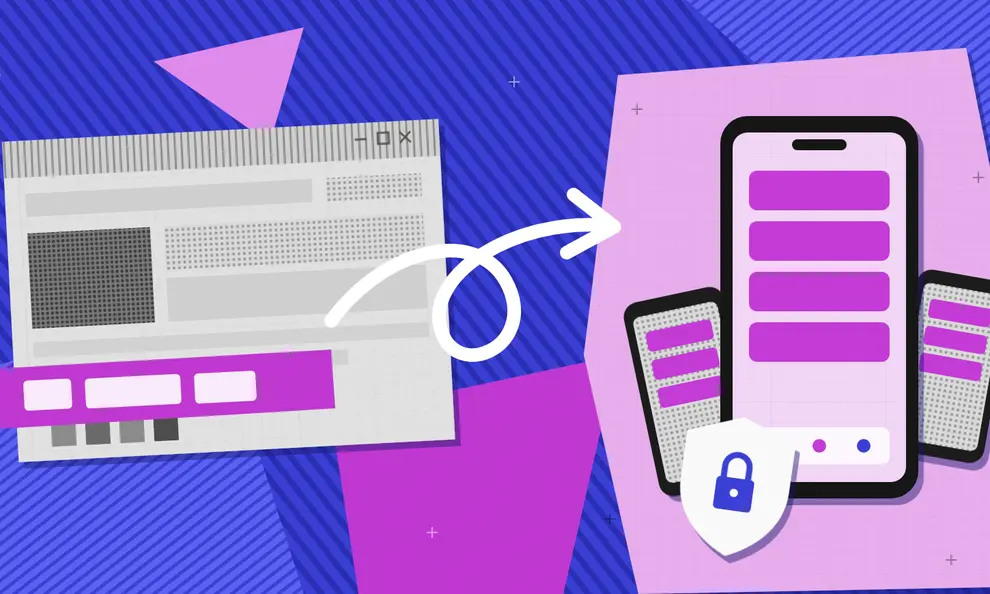
Salesforce Experience Cloud publishes your client portal, help center, or storefront as a website. To deploy that site as an app to the Apple App Store and Google Play, you can license Salesforce Mobile Publisher, build a custom app using the Salesforce Mobile SDK, or use Median.co to convert the Salesforce Experience Cloud URL into a mobile app. Median gives you direct control of the app, a plugin library for push notifications, biometric login, and device security, and a team that can handle both store submissions. However you convert your Experience Cloud site to a mobile app, you should test single sign-on, Lightning component behavior, permissions, and real-device performance before submission.
You can turn your Salesforce Experience Cloud site into an iOS and Android app without rebuilding the portal your team has already invested in and configured for your business. Experience Cloud handles identity, data access, and the Lightning components your users work in, and all of that keeps working when the site becomes the interface of a mobile app.
The real decision is which of three approaches fits your org: Salesforce's own Mobile Publisher add-on, a custom build using the Mobile SDK, or using Median.co to convert your Salesforce website into an app and manage the native shell yourself.
This guide walks through the Salesforce-specific preparation and app store submissions. You don't have to run this self-serve either. The Median Solutions team works from its own Salesforce Experience Cloud sandbox and can assist your team from Lightning component integration through build and launch.
Planning a portal app for customers or partners?
Book a call with the Median Solutions team, or enter your Experience Cloud URL to preview the app.
Can a Salesforce Experience Cloud site become a mobile app?
Yes, and you don't have to rebuild it. Experience Cloud, which Salesforce previously sold as Community Cloud, publishes customer portals, partner portals, help centers, and commerce storefronts as websites built on Aura or LWR templates. Salesforce's Experience Cloud documentation covers what the sites themselves can do.
The question this guide answers is how to deliver the same site through the app stores.
Three approaches come up in every evaluation:
Salesforce Mobile Publisher: Salesforce's own add-on packages an Experience Cloud site as branded iOS and Android apps, licensed per app and submitted through your own developer accounts.
Custom Mobile SDK build: Your developers build a native app against Salesforce APIs. This gives total control and costs by far the most engineering to fund and maintain.
Median: The easiest way to get your Salesforce URL into the app stores is to wrap your live website as an iOS and Android app using the Median App Studio, add native features through its plugin library, and the Median JavaScript Bridge, and continue maintaining your business functionality using Experience Builder.
Is the Salesforce mobile app the same as an Experience Cloud app?
No. The Salesforce mobile app in the App Store and Google Play is for your employees who work in your Salesforce CRM. Salesforce's own Salesforce Mobile overview shows what it covers, such as offline access to records and a custom homepage. Customers and partners who sign in to your Experience Cloud site need your own branded app, published under your own developer accounts.
"App" means one more thing in Salesforce. A Lightning app, created in Setup under App Manager, is a workspace inside Salesforce for your internal users. It isn't something customers can download from an app store.
Salesforce Mobile Publisher alternatives: Mobile Publisher vs. Bryj vs. Median
Choose Mobile Publisher when:
You want your organization's mobile app inside your existing Salesforce contract and support relationship.
Per-app add-on licensing fits the budget conversation you're already having with Salesforce.
Its included features, such as push notifications, biometric login, and barcode scanning, cover everything the app needs.
Your team prefers to manage your app the same way it manages the rest of your org.
Choose Median when:
You want direct control over your app's native shell: the user agent, custom CSS and JavaScript, link handling, and permissions.
The app needs plugins beyond the included set, from push notifications and biometrics to deep links and vendor SDKs.
You want one configuration for iOS and Android, with app-level pricing that is independent of your Salesforce edition and license counts.
You'd rather have app store publishing, from review to any follow-ups handled for you.
Choose Bryj when:
Bryj is an AppExchange vendor that builds and manages mobile apps for Experience Cloud sites. It fits teams that want a vendor working inside the Salesforce ecosystem and a managed service rather than a platform. When you compare it with Mobile Publisher or Median.co, ask who owns the app configuration and the store accounts, how quickly site changes reach the installed app, which native features are included, and what the per-app cost looks like over a multi-year term.
Customers already run this way on Salesforce. BenefitsApp ships a branded app for each of its employer clients on Salesforce Lightning, and launched its first complex app in under two months.
Both are web to app conversions of the same site, so neither locks you into rebuilding screens. A custom Mobile SDK app is the opposite trade-off. You get complete freedom over every screen, paid for in a development budget, and a permanent maintenance obligation that most portal teams don't want.
Get your Experience Cloud site ready for a mobile app
Salesforce sites need more preparation than a typical website before they behave well inside a wrapper. Median.co's Getting Started with Salesforce Experience Cloud guide documents the full setup, and the essentials are below.
Prefer LWR over Aura where you have the choice. LWR is built on web standards and loads noticeably faster inside a mobile web view, and page speed is the difference between an app that feels native and one that feels like a slow website in a frame.
Check the mobile layout on real phones. Salesforce decides which resources to serve by detecting the browser, so a generic app user agent can be handed the desktop layout. The Median App Studio lets you append a custom string to the user agent, and your Apex or global CSS can then target it to apply mobile-specific overrides.
Test your login stack early. Single sign-on redirects, MFA prompts, and session timeout behavior all need to work inside a web view, not just in Safari and Chrome. Add your app to your identity provider's return URLs. If your portal signs users in with OAuth, add the app's callback URLs to your Salesforce connected app too. Then test with real customer and partner accounts, not an admin login.
How to convert an Experience Cloud site into a mobile app with Median
The website to app conversion runs from your site's production URL, and every Salesforce-side setting below comes from the setup guide linked above.
Step 1. Create your app in the Median App Studio
Start by visiting median.co/app. Enter your Experience Cloud production URL as the "Website URL" and update your "App Name" as needed. Use your published site on its production domain, not an Experience Builder preview. If the portal sits behind login, that is fine. The app will load your login page first, exactly as the browser does.
An email address is required for ongoing access to your app in the Median App Studio. You'll then receive an email with a link to verify your account. To continue, click the button to start building your app.
Step 2. Open Salesforce security for the JavaScript Bridge
The Median JavaScript Bridge is how your site calls native features, and Salesforce's Content Security Policy will block it by default. In Experience Builder, under Settings and then Security and Privacy, set the security level to Relaxed CSP and add the Median distribution URLs to Trusted Sites for Scripts.
Lightning components add one more layer. Lightning Locker and Lightning Web Security sandbox each component, so a component that calls the bridge directly may find it undefined. Reference the bridge through the top window context so the call escapes the sandbox, and enable Lightning Web Security in Session Settings if your org allows it.
If you'd rather see all of this working before touching your own org, the Median Solutions team runs these settings in its own Experience Cloud sandbox, can demonstrate best practices for integrating Lightning components into a mobile app, and can walk your Salesforce admin through the changes.
Step 3. Customize your app with the native features the portal needs
In the Branding tab, you can upload an app icon and splash screen image or animation, and set theme colors to fully customize your app and align with your brand.
Additionally, you can explore options for Interface Settings, Link Handling, Website Overrides, and Permissions to tailor your app user experience to meet your requirements.
Native Navigation is where you can create a natural native app experience for your users, as well as find help to meet Google and Apple design requirements.
Finally, you can explore Median's Native Plugins to add advanced native features and integrations like push notifications, haptic feedback, and analytics to enhance user experience and maximize outcomes for your app.
Recommended native plugins for Salesforce apps:
Salesforce Marketing Cloud Push Notifications: Deliver push notifications through the Marketing Cloud journeys and campaigns your team already runs
Braze Push Notifications: Push and engagement for teams standardized on Braze rather than Marketing Cloud
Face ID/Touch ID & Android Biometric: Secure, passwordless authentication that enhances user experience and app security
Jailbreak/Root Detection: Keep compromised devices away from portal data, a common security-review requirement for enterprise apps
Deep linking has a Salesforce-specific wrinkle: Apple and Google verify domain ownership through a JSON file at a fixed path, and Experience Cloud gives you no file system to drop it into. The setup guide linked above covers hosting that file from a public Visualforce page with an Apex controller and mapping the path with a URL rewrite.
Step 4. Test on actual iOS and Android devices
The browser preview is useful for layout and nothing more. It can't prove that OAuth, notifications, purchases, camera access, or keyboard behavior will survive an installed build, so test sign-in, MFA, record visibility per profile, file uploads, payments, and session expiry on a real iPhone and a real Android phone, covering every account flow and permission your app requests.
Step 5. Build and publish
Create the signed release builds once the configuration is stable. Median.co can hand your build files to your team to submit, or the Publishing Service can manage the submissions and respond to review questions. If your team would rather not manage submissions, the Business plan includes fully managed publishing, with Median's team building, publishing, and maintaining your apps.
Will your security team approve an Experience Cloud app?
Portal apps usually go through the same security review as any vendor that touches customer data. Median answers the main questions directly.
Data path – Median isn't in it. The app talks straight to your Experience Cloud site, and Median doesn't process or store end-user data.
Certification – Median is SOC 2 Type II certified for its App Studio and build environment, and shares the report under NDA.
Managed devices – The Microsoft Intune plugin supports MDM and MAM, and the enterprise plugins add jailbreak and root detection, screen capture blocking, and clipboard restrictions.
For the full list of questions CTOs, CISOs, and CFOs ask, see our guide to enterprise mobile app development.
What client portals and commerce storefronts each need from an app
A client portal earns its place on a customer’s home screen when it gives them a reason to return.
Push notifications can bring users back for case updates, quote approvals, order changes, and other time-sensitive activity.
Biometric authentication can also make repeat access faster by reducing the need to enter a password every time. With Median.co’s Salesforce Marketing Cloud plugin, teams can send and manage push notifications through Salesforce Marketing Cloud, connect them with existing email and SMS campaigns, and track engagement from the same platform.
For e-commerce and B2B commerce apps, payments need to be planned before development reaches the app store submission stage.
Apple and Google distinguish between physical goods or real-world services and digital goods consumed inside the app.
Digital content, app features, and subscriptions generally fall under Apple In-App Purchase and Google Play Billing requirements, although regional exceptions may apply.
Confirm how your products are classified early, then test the complete mobile checkout journey on physical devices, including the cart, payment, order confirmation, and follow-up email.
How to publish an Experience Cloud app to the Apple App Store
Apple reviews portal apps behind a login every day, and the ones that pass share the same habits.
Give the reviewer a working demo account with realistic data. Complete the App Privacy questions accurately, and offer account deletion if users can create accounts.
Make sure your app does more than display a plain website: push notifications, biometric login, and native navigation are what reviewers look for.
If your app is for partners or a closed customer group rather than the public, Apple Business Manager custom app distribution is often the better listing route than the public App Store.
Note: If your App Store submission needs urgent review, follow the steps in our guide to requesting an expedited app review: How to request the “Urgent/Expedite Request” for immediate release of your iOS app.
How to publish an Experience Cloud app to the Google Play Store
On Google Play, create your app with the same package name as your Android build, complete the store listing, Data safety form, and content declarations, and put the AAB through an internal testing track before production.
Enterprise reviewers care about the same things Apple's do: working access instructions and a privacy policy that matches what the app collects.
Tip: Before you submit, download Median.co's free app store publishing checklist. It walks you through the requirements for both the Apple App Store and Google Play to help you catch common issues before review.
Frequently asked questions
Can Salesforce Experience Cloud have a mobile app?
Yes. An Experience Cloud site can reach the app stores through Salesforce Mobile Publisher, a custom Mobile SDK build, or a wrapper platform such as Median.co that loads the live site and adds native features. Your site keeps running in Experience Cloud in every case.
What is Salesforce Mobile Publisher?
Mobile Publisher is Salesforce's add-on for packaging an Experience Cloud site or the Salesforce app as a branded mobile app. It produces iOS and Android apps that you submit through your own Apple and Google developer accounts, and it's licensed per app on top of your existing Salesforce licenses.
How much does Salesforce Mobile Publisher cost?
Mobile Publisher is a paid add-on priced per app and quoted through your Salesforce account executive rather than listed publicly. When you compare it with a platform such as Median.co, compare the multi-year total per app rather than a monthly line item, and include who does the store submissions and review responses in that math.
Does single sign-on work in a wrapped Experience Cloud app?
Yes, with testing. SAML and OpenID Connect flows run inside your app's web view the same way they run in a browser, but redirect URLs, MFA prompts, and session timeouts all deserve a real-device test with real user profiles. Identity is the part of a portal app most likely to work in the simulator and fail on a phone.
Can an Experience Cloud mobile app send push notifications?
Yes. A Median app registers the device for push, and your site decides who receives each message through the Median JavaScript Bridge. Median.co also has a Salesforce Marketing Cloud integration, so journeys you already run in Marketing Cloud can reach the installed app directly.
Can I sell through an Experience Cloud storefront app?
Yes. A storefront selling physical goods or real-world services keeps its existing web checkout inside the app, which both stores allow. Digital products, subscriptions, and paid content sold in the app may need Apple In-App Purchase and Google Play Billing instead, so classify what you sell before submission rather than during review.
Will Apple approve an Experience Cloud portal app?
Portal apps pass review when they behave like apps. A working demo account, accurate privacy answers, account deletion where accounts exist, and visible native behavior such as push notifications and biometric login address the common rejection reasons. A bare website in a frame with none of those is what gets flagged.
Do I need the Salesforce Mobile SDK?
Only if you're building a fully custom native app with its own screens. To put an existing Experience Cloud site in the app stores, Mobile Publisher and Median.co both work from the site you already have, and neither requires SDK development.
Do we need in-house mobile developers to build this?
No. The configuration in the Median App Studio is web-level work rather than native development, and the parts that touch Salesforce security settings, Lightning components, and store submissions are what the Median Solutions team handles with customers every week. Larger organizations typically run the conversion as a guided project with that team rather than self-serve.
Do site changes require a new store submission?
Changes you publish in Experience Builder appear the next time the installed app loads your site, with no store update. Changes to the native shell, such as the icon, permissions, or plugins, ship as a new build and usually a store update.
Is the Salesforce mobile app for customers?
No. The Salesforce mobile app is for employees who work in your Salesforce CRM. To give customers and partners an app for your Experience Cloud site, you need your own branded app, built with Mobile Publisher, a custom Mobile SDK build, or a platform like Median.co.
How much does a Salesforce Experience Cloud mobile app cost with Median?
Median's Business plan is $7,200 a year for fully managed apps, and Enterprise plans with the security plugin suite are quoted. Pricing is per app and separate from your Salesforce licensing. You'll also need an Apple Developer account at $99 a year and a one-time $25 Google Play fee.
Median.co for Salesforce Experience Cloud apps
Your Experience Cloud site already carries the identity, data model, and components your customers and partners rely on. Mobile Publisher makes sense when you want that app relationship to live inside your Salesforce contract. Median.co makes sense when you want direct control of your app's native shell, a deeper plugin library, pricing independent of your Salesforce licensing, and a Solutions team that can carry the project from configuration through both store submissions.
Book a call with the Median Solutions team to walk through your portal, your security review, and both store submissions. Or enter your Experience Cloud URL above to preview the app. If the portal sits behind login, you'll see your login page first, just as your users will.
*DISCLAIMER: This content is provided solely for informational purposes. It is not exhaustive and may not be relevant for your requirements. While we have obtained and compiled this information from sources we believe to be reliable, we cannot and do not guarantee its accuracy. This content is not to be considered professional advice and does not form a professional relationship of any kind between you and GoNative.io LLC or its affiliates. Median.co is the industry-leading end-to-end solution for developing, publishing, and maintaining native mobile apps for iOS and Android powered by web content. When considering any technology vendor we recommend that you conduct detailed research and "read the fine print" before using their services.*